MUM
단종

MUM
큰 이미지

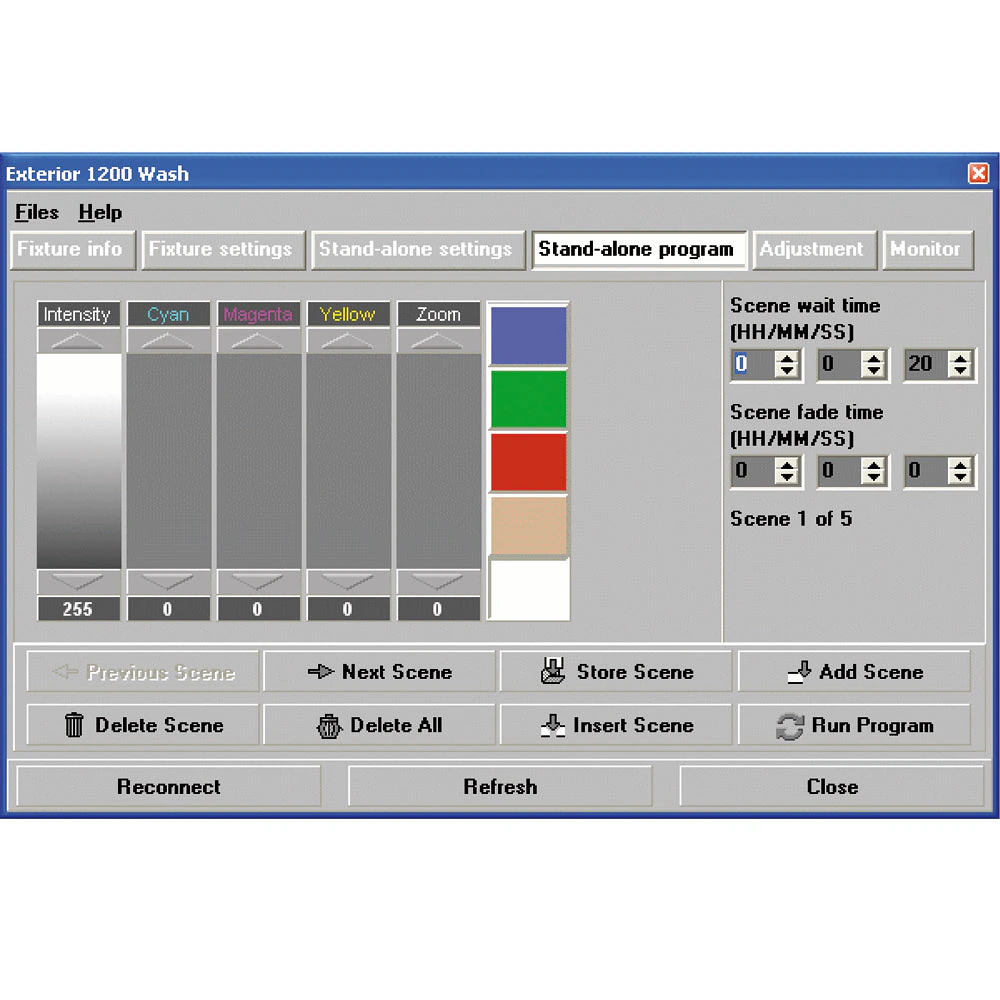
Martin MUM (Multi-Utility Manager) is a management and programming application for intelligent lighting products such as the Martin Exterior  and Tripix series. MUM is included in the Martin USB Tools software and drivers package that can be downloaded free of charge from the Martin website.

  • Windows-based configurator with graphical interface for stand-alone programming
  • Read and change address, real-time clock, light level, stand-alone settings and more
  • Compatible with Martin DABS1™ USB interface box

특징

  • Windows-based configurator with graphical interface for stand-alone programming
  • Read and change address, real-time clock, light level, stand alone settings and more
  • Recognizes connected fixture automatically - no need for set up
  • Backup library of stand-alone programs on PC
  • Compatible with Martin DABS1™ USB interface box

더 알아보기

Control and Programming Supports wide range of Martin Architectural luminaires Intuitive graphic user interface DMX address setting Stand-alone show programming Synchronized (host/client) operation setup Stores and uploads luminaire settings Downloads luminaire information and diagnostic messages Automatic luminaire recognition
Minimum System Requirements Windows 7 or 8 Intel Core processor 1 GB RAM 30 MB available hard disk space USB 1.1 (or higher) port for DABS1™ hardware interface Laptop required for mobility at installation site
Related Items Martin DABS1™ USB interface box incl. cables: P/N 90758090 DMX termination plug, 3-pin male XLR: P/N 91613017 DMX termination plug, RJ45: P/N 91613028
Ordering Information MUM™ is included in the Martin USB Tools™ package (free download from Martin™ website)

다운로드

Manuals
  버전 언어 크기 업로드 날짜
file type icon Martin MUM User Guide
en 버전 D, 업데이트: 2020년 10월
en  430KB 2020년 10월
MUM Compatibility
en 버전 A, 업데이트: 2018년 5월
A   en    2018년 5월
Software
  버전 크기 업로드 날짜
Windows download icon Martin USB Tools
버전 1.2, 출시: 2020년 7월
1.2   107MB 2020년 7월
Service Notes
  버전 언어 크기 업로드 날짜
Compatibility Issues Software Uploader
en 버전 A, 업데이트: 2018년 5월
A   en    2018년 5월

위의 링크 중 하나에서 브라우저에 이상한 문자가 표시되면, 파일을 마우스 오른쪽 버튼으로 클릭하여 컴퓨터에 저장하세요.

지원/FAQ

HARMAN Professional Solutions: