Companion Desktop

所有Martin灯具的管理和固件上传工具

Companion Desktop

Companion Desktop 是夹具管理、固件上传和独立编程工具,与所有 Martin 夹具兼容,可最大程度提高使用便利性。Companion Desktop 应用通过互联网与 Martin 库同步,无需再浏览支持页面来查找最新夹具固件或备件概览。

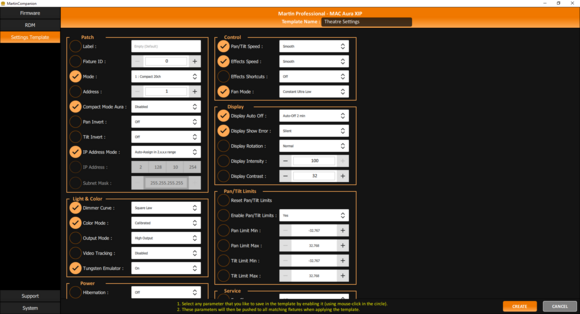
先进的 RDM 集成允许所有夹具远程配置和补丁。为便于一次性配置多个夹具,夹具配置系统允许将整个夹具设置集合一次性推送到所有选定夹具。内置快速寻址工具只需单击一次即可完成夹具寻址。

内置人体工学独立编程工具允许用最多 20 个场景对夹具进行编程,每个场景均可设置单独的保持时间和淡入淡出时间。随后这些夹具可完全同步运行,无需连接任何计算机或控制器。独立显示也可存储、共享和日后重复使用。

Companion Desktop 还自动与 GDTF 共享上 Martin 制造的 GDTF 文件同步。使您能够访问所有夹具详情,如 DMX 模式、DMX 通道列表、Gobo 配置等。GDTF 文件可直接从 Companion Desktop 导出,供任何兼容 GDTF 的软件使用。

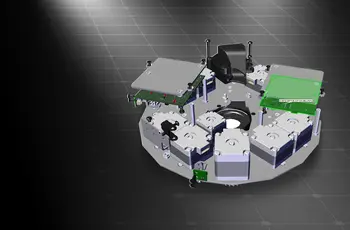
内置备件查找器使您能够访问每个 Martin 夹具的 3D 模型,可将其拆解以识别备件。

另请查看 Companion Mobile,它为移动 iOS 和 Android 设备提供部分相同的功能。

  • 兼容所有Martin灯具

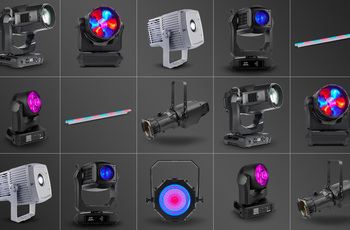
    Martin Companion可以为所有Martin产品系列(包括MAC、ERA、ELP、VDO和Exterior)上传固件。
  • 通过 DMX 或网络连接灯具

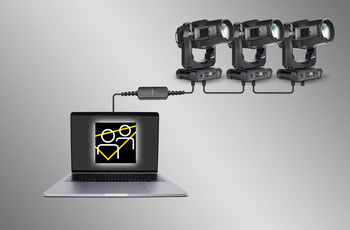
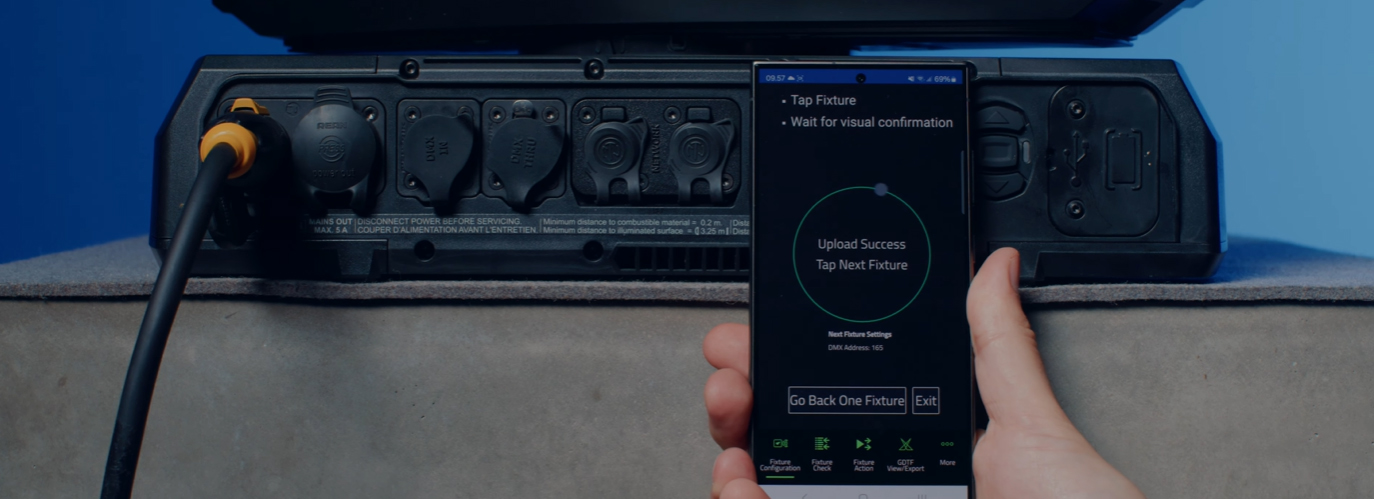
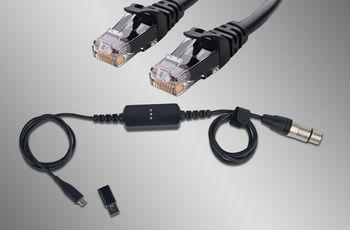
    Martin Companion 与灯具之间的连接可以通过 Martin Companion 电缆或标准网络接口进行。

  • 自动云同步

    在线同步确保您始终拥有最新的灯具固件和 GDTF 文件。无需浏览支持页面来查找最新固件或 GDTF 文件,Martin Companion 会为您完成此操作。

  • 通过USB或P3导出以进行更新

    固件也可以从Martin Companion导出,以通过USB存储设备或Martin P3系统控制器更新夹具,作为通过Martin Companion更新夹具的替代方案。

  • 通过RDM或RDM over Art-Net配置和编址功能

    集成的RDM工具包允许远程配置和编址灯具。Martin Companion支持标准RDM参数,同时还支持更高级的Martin专有RDM参数,可将灯具配置到最佳性能。

  • 灯具设置模板,快速部署

    在几秒钟内更新多个灯具的设置。任何设置组合都可以存储在模板中,然后推送到灯光系统中的所有灯具。再也无需逐个手动检查灯具设置的日子已经过去。

  • Stand-Alone Programming

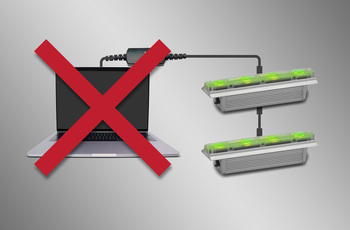
    Shows of up to 20 scenes, with individual hold- and fade-times, can be programmed into select Martin fixtures using Martin Companion. The fixtures will run the show fully synchronized and without computer or controller connected.

  • GDTF View and Export

    View all Martin-made GDTF files to look up fixture details, and download them directly from within Martin Companion for easy access at all times.

featured content

兼容所有Martin灯具

Martin Companion可以为所有Martin产品系列(包括MAC、ERA、ELP、VDO和Exterior)上传固件。

featured content

通过 DMX 或网络连接灯具

Martin Companion 与灯具之间的连接可以通过 Martin Companion 电缆或标准网络接口进行。

featured content

自动云同步

在线同步确保您始终拥有最新的灯具固件和 GDTF 文件。无需浏览支持页面来查找最新固件或 GDTF 文件,Martin Companion 会为您完成此操作。

featured content

通过USB或P3导出以进行更新

固件也可以从Martin Companion导出,以通过USB存储设备或Martin P3系统控制器更新夹具,作为通过Martin Companion更新夹具的替代方案。

featured content

通过RDM或RDM over Art-Net配置和编址功能

集成的RDM工具包允许远程配置和编址灯具。Martin Companion支持标准RDM参数,同时还支持更高级的Martin专有RDM参数,可将灯具配置到最佳性能。

featured content

灯具设置模板,快速部署

在几秒钟内更新多个灯具的设置。任何设置组合都可以存储在模板中,然后推送到灯光系统中的所有灯具。再也无需逐个手动检查灯具设置的日子已经过去。

featured content

Stand-Alone Programming

Shows of up to 20 scenes, with individual hold- and fade-times, can be programmed into select Martin fixtures using Martin Companion. The fixtures will run the show fully synchronized and without computer or controller connected.

featured content

GDTF View and Export

View all Martin-made GDTF files to look up fixture details, and download them directly from within Martin Companion for easy access at all times.

视频


特点

  • Compatible with all Martin fixture ranges including MAC, ERA, ELP, VDO & Exterior
  • Automatic online synchronization of fixture firmware library, spare parts finder library and GDTF library
  • Robust Martin Companion Cable to connect fixtures with computer using DMX
  • Direct network connection to connect fixtures with computer using Art-Net / sACN
  • Companion Desktop Application downloaded free of charge from Martin website
  • Optional export for fixture update via USB memory device or P3 System Controller
  • Optional export for Atmospheric Effects machine update via Epsilon 5 AVR Programmer
  • RDM function allows every fixture setting to be consulted and changed remotely
  • RDM export to CSV for easy collection of fixture data such as serial numbers, patch details, usage counters and more
  • Fixture Configuration enables quick deployment of settings to multiple fixtures at once
  • Quick Addressing allows for addressing of fixtures with just a single click per fixture
  • Stand-Alone Programming of select Martin fixtures
  • Save, Share and Re-Use Stand-Alone shows
  • GDTF viewer and export tool
  • Spare Parts Finder

性能

  • System Requirements

    Computer running Windows 10 or 11 (32 or 64-bit)
    Intel Core i3 or better processor
    4 GB RAM
    4 GB available hard disk space
    Display with Full HD or better resolution
    USB 1.1 (or higher) port (USB Type A or USB Type C) for connection of Companion Cable
    Ethernet port for RDM over Art-Net communication (if used)
    Full administrator rights on PC

    Supported Fixture Communication Protocols

    RDM (via Companion Cable)
    RDM over Art-Net (via standard Ethernet Port)
    Multiple proprietary fixture firmware upload protocols

    Supported RDM Parameters

    Fixture Configuration
    General: Manufacturer, Model, Label, Fixture ID
    Patch: Mode, Universe, Address, Compact Mode Aura, Pan Invert, Tilt Invert, Pan/Tilt Swap, Pixel Flip Mode, IP Settings
    UCM: SHoW ID, SHoW Key, Output Power, Antenna Type, Connection State, Module Manufacturer, Module Model, Module Firmware
    Light & Color: Dimmer Curve, Color Mode, Output Mode, Manual CTC, Manual Tint, Keylight Calibration, Gobo CT Correction, Video Tracking, Strobe Behavior, Tungsten Emulation, High Refresh
    Control: FollowSpot Mode, Pan/Tilt Speed, Effects Speed, Effects Shortcuts, Focus Tracking, Framing Mode, Hyper Zoom, Fan Mode, Extra Blackout
    Display: Display Auto Off, Display Show Error, Display Rotation, Display Intensity, Display Contrast
    Power: Power Limit, Hibernation, DMX Lost Mode, Standalone Mode, Reset via DMX, Lamp Off via DMX, Lamp On Mode, Lamp State, Power State, DC Output Control
    Outdoor: Auto Empty Water
    Pan/Tilt Limits: Enable Pan/Tilt Limits, Pan Limit Min, Pan Limit Max, Tilt Limit Min, Tilt Limit Max
    Details: Serial Number, UID, MAC Address, Protocol Version, Device Model ID, Art-Net OEM Code, Product Category, Firmware Version, Sub-Device Count
    Service: Status, Sensors Readout, Device Hours, Lamp Hours, Lamp Strikes, Power Cycles, Pixel Quantity

    Fixture Action
    Factory Defaults: Set Factory Defaults
    Reset Fixture: Warm Reset, Cold Reset
    Hibernation: Disable, Enable
    IP Settings: Reset IP Settings
    Pan/Tilt Limits: Reset Pan/Tilt Limits
    Outdoor Actions: Stop, Empty Head, Dry Off, Safe Parking
    Fan Clean: Stop, Start
    SelfTest: Stop, Test All, Test Pan/Tilt, Test Effects, Test LEDs, Identify

    Stand-Alone Programming
    Proprietary set of Martin RDM commands

    * Not all parameters are supported by all fixtures
    * Martin Companion uses a combination of standard RDM commands and Martin-specific RDM commands

    Supported Fixtures - Firmware Upload*

    Firmware Upload via DMX Cable:
    - All products from Martin MAC, ERA, ELP, RUSH and Exterior ranges
    - Select products from Martin VDO range
    Firmware Upload via Network:
    - Select products from Martin MAC, VDO and Exterior ranges
    Firmware Export and Upload into Fixture via USB stick:
    - Select products from Martin MAC and ERA ranges
    Firmware Export and Upload into Fixture via P3 System Controller:
    - All products from Martin VDO and VC ranges
    - Select products from Martin MAC and Exterior ranges
    Firmware Export and Upload into Fixture via Epsilon 5 AVR Programmer:
    - Atmospheric Effects in Martin Magnum and RUSH ranges

    * Detailed Overview can be found here.

    Supported Fixtures - Fixture Configuration

    Any fixture supporting RDM and/or RDM over Art-Net

    * Martin Companion uses a combination of standard RDM commands and Martin-specific RDM commands, which are not supported on non-Martin fixtures

    Supported Fixtures - Fixture Action

    Any fixture supporting RDM and/or RDM over Art-Net

    * Martin Companion uses a combination of standard RDM commands and Martin-specific RDM commands, which are not supported on non-Martin fixtures

    Supported Fixtures - Stand-Alone Programming

    Martin ELP Manet 8F
    Martin Exterior Dot Pro series
    Martin Exterior Linear Pro series
    Martin Exterior Projection Pro series
    Martin Exterior Wash Pro series
    Martin MAC Aura Raven XIP
    Martin MAC Encore Two
    Martin MAC One
    Martin MAC One Beam
    Martin MAC Viper XIP
    Martin VDO Sceptron XB

    Supported Fixtures - GDTF View & Export All Martin products
    Supported Fixtures - Spare Parts Finder All Martin products
  • Physical (Companion Cable) Length: 68 mm (2.7 in.) Width: 29 mm (1.2 in.) Height: 17 mm (0.7 in.) Weight: 99 g (3.5 oz.)
    Control/User Interface (Companion Cable) Configuration and management: Companion Desktop Software Device status: 3 x status LEDs (USB, DMX & Status)
    Construction (Companion Cable) Housing: Plastic Color: Matte Black Protection rating: IP20 Non-domestic use in dry location only
    Connections (Companion Cable) Computer Interface: USB 2.0 Type C (adapter to USB Type A included) DMX/RDM data: 5-pin locking XLR
    Electrical (Companion Cable) Power Rating: 5 VDC over USB Maximum current draw: 150 mA
    Thermal (Companion Cable) Maximum ambient temperature (Ta max.): 50° C (122° F) Minimum ambient temperature (Ta min.): 0° C (32° F)
    Approvals (Companion Cable) EMC: CAN ICES-3 U(B) / NMB-3 (B)
    Related Items

    Companion Mobile Software: Free download from App Store and Google Play

    Ordering Information

    Companion Desktop Software: Free download from www.martin.com
    Companion Cable: P/N 91616091

下载

Manuals
  版本 语言 大小 上传日期
file type icon Martin Companion - Getting Started Video
en 版本 2.0.0, 更新: 12月 2023
2.0.0  en  12月 2023
file type icon Martin Companion Cable - User Manual
en 版本 C, 更新: 11月 2024
en  233.6 KB 11月 2024
Compliances
  语言 大小 上传日期
en  287.1 KB 11月 2023
en  498.1 KB 11月 2023
Software
  版本 大小 上传日期
Windows download icon Companion Desktop - Windows
版本 2.2.0, 更新: 4月 2026
2.2.0   96.1 MB 4月 2026
Service Notes
  版本 语言 大小 上传日期
en  722.9 KB 11月 2023

如果上述任何链接在您的浏览器中显示为奇怪的字符,请右键点击文件以将其保存到您的计算机。

新闻

哈曼专业洞察

Designing Smarter Workflows with Precision Lighting Fixture Management Tools feature

Designing Smarter Workflows with Precision Lighting Fixture Management Tools

    Professional lighting setups demand precise configuration, reliable diagnostics, and up-to-date firmware. Yet DMX addressing, firmware mismatches, and manual data entry often slow down designers, rental houses, and system techs. Effective lighting fixture management tools can eliminate these pain points and keep every show

CONTINUE READING

支援/最常见问题

HARMAN Professional Solutions: