M-Touch
Eingestellt

M-Touch
Größere Bilder

Effective 14 March, 2018, Elation Professional has acquired the M-Series range of lighting controllers and software from HARMAN Professional and will now be providing sales and product support. View the announcement from Elation Professional.

Martin M-Touch uses M-PC as software that will run on a Windows PC and can be downloaded here.

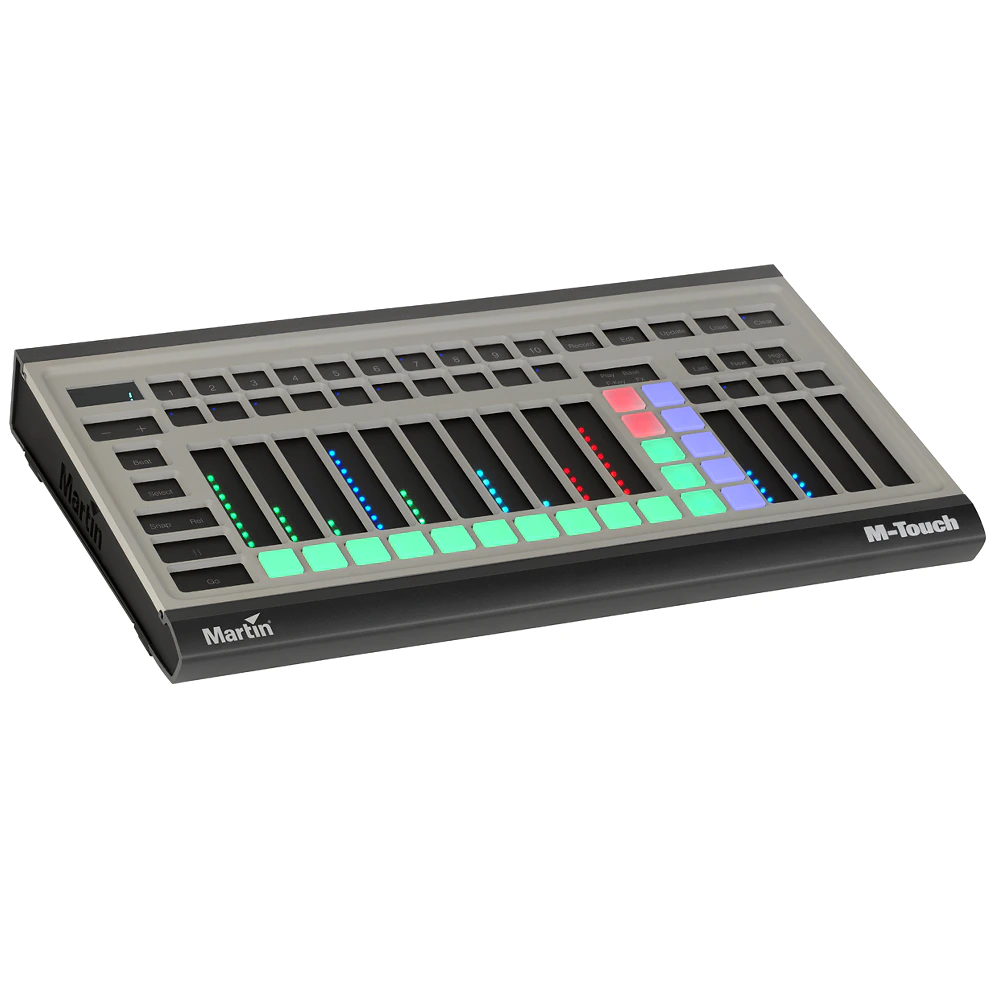
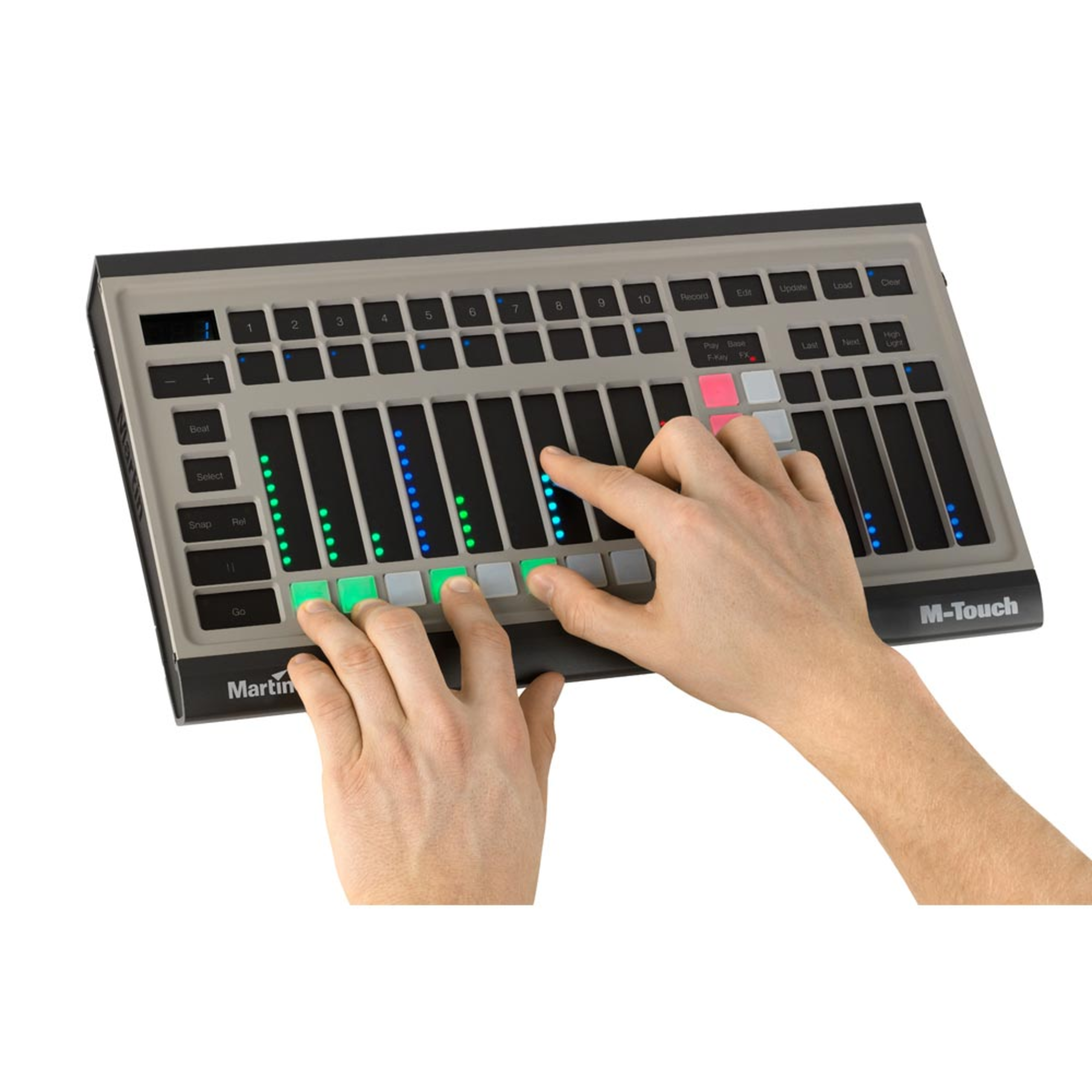
Martin M-Touch is a powerful yet simple control surface for the Martin M-Series controllers, the most affordable professional lighting solutions on the market. Fully compatible with all M-Series consoles and M-PC software, Martin M-Touch is a  plug-and-play solution with an  innovative control surface like no other lighting console.
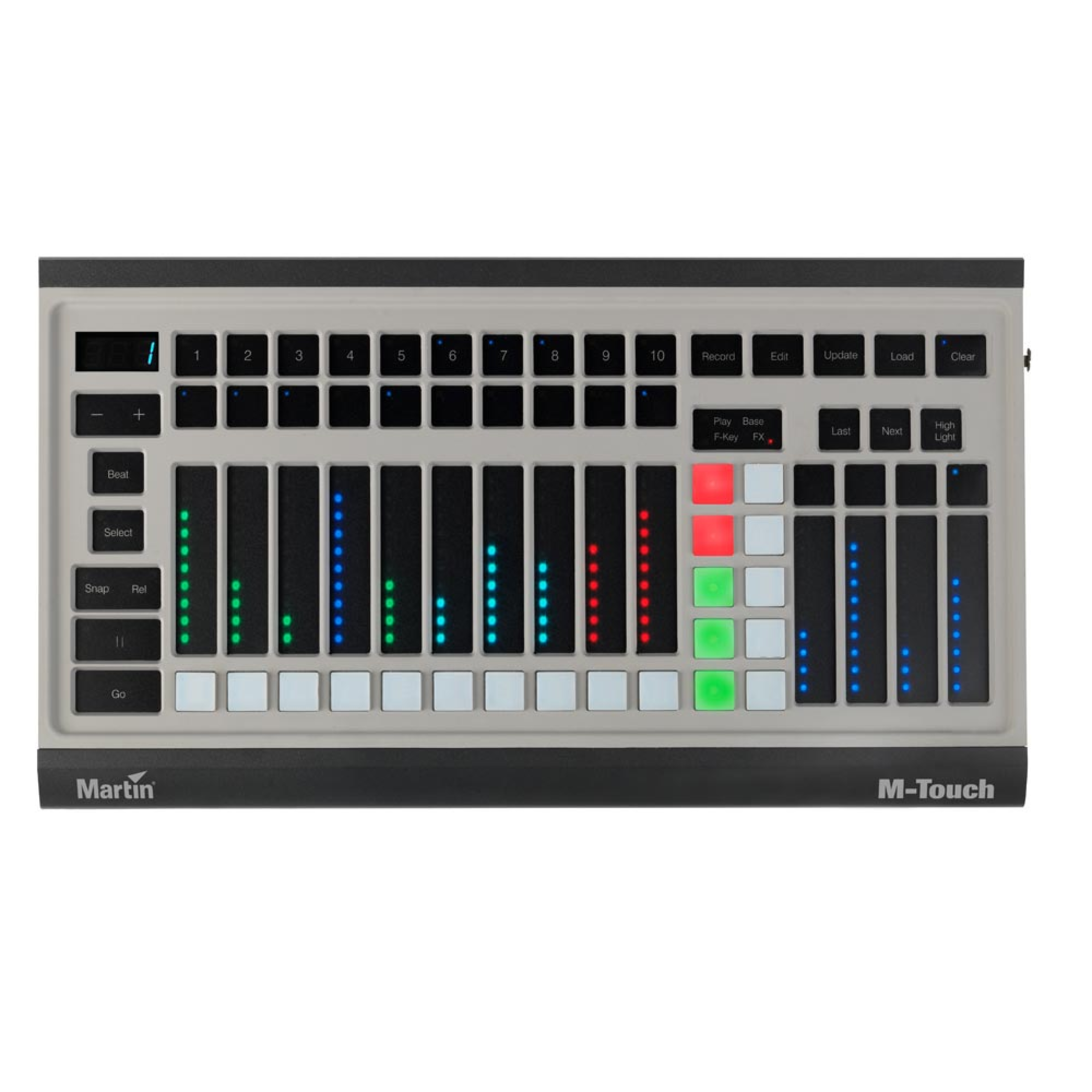
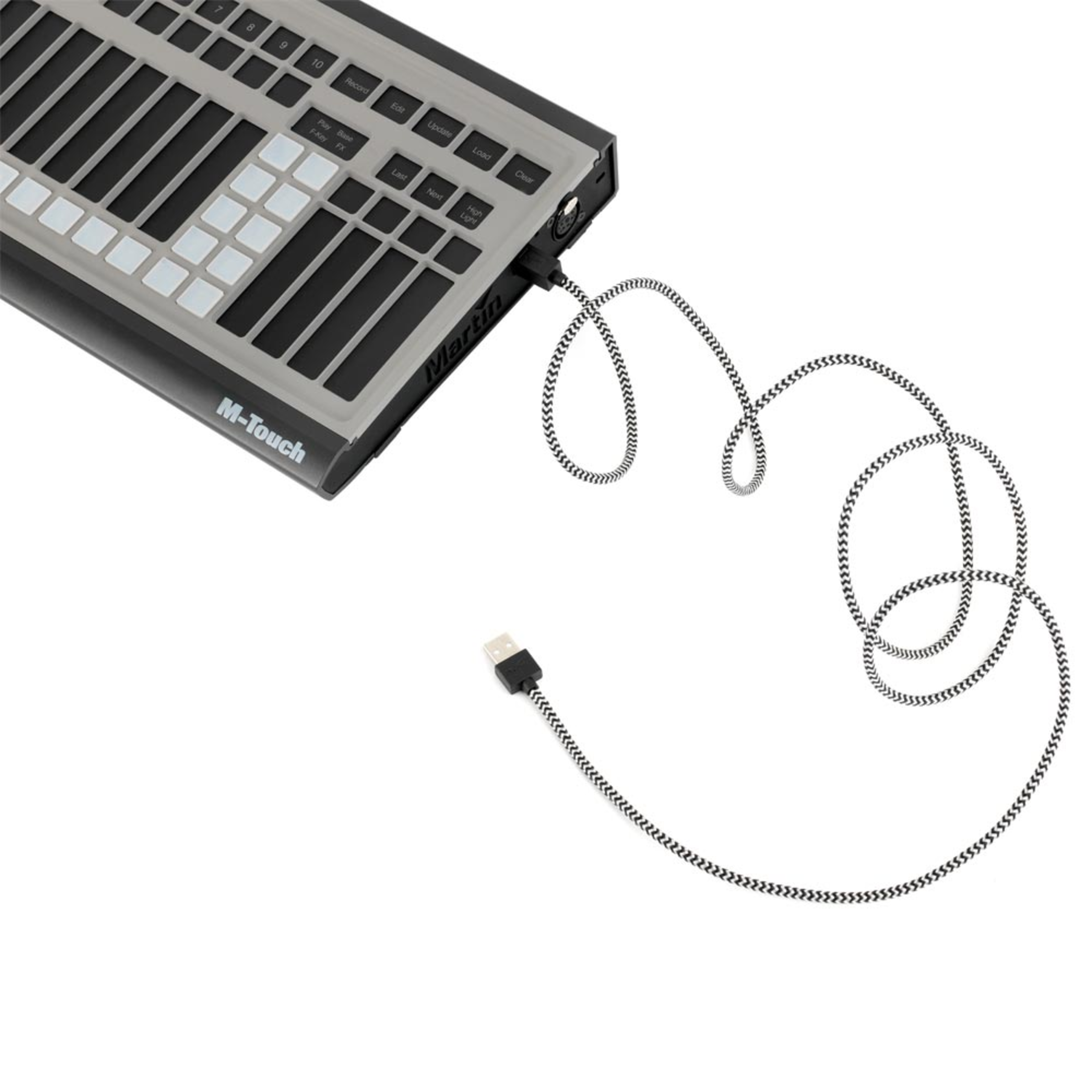
14 touch faders allow control of playbacks and fixture parameters while 20 velocity-controlled pads allow for new types of effects. Additional programming buttons such as Record, Edit, Update, Load and Clear are accessible directly from the M-Touch control panel. Martin M-Touch comes with one DMX 512 Universe for direct control of any compatible DMX device.

  • Truly affordable console surface for both smaller applications and professional use
  • Rugged aluminum design for durability
  • The most powerful controller of its class with a full 512 DMX channels, expandable to 65,000 channels

Eigenschaften

  • Truly affordable console surface for both smaller applications and professional use
  • Rugged aluminum design for durability
  • The most powerful controller of its class with a full 512 DMX channels, expandable to 65,000 channels

Mehr Details

PhysicalLength: 394 mm (15.5 in.)Width: 218.5 mm (8.6 in.)Height: 46.5 mm (1.8 in.)Weight: 1.5 kg (3.3 lbs.)
Control/User InterfaceBank Navigation Up/Down with numerical displayMain Go section: Snap, Release, Pause and Go buttonsCommand Buttons: Record, Edit, Update, Load, ClearMultifunction Mode Select buttonFixture Selection buttons: Last, Next, Highlight4 x Parameter Select buttons4 x Parameter Adjust touch faders10 x Function velocity pads
Playback10 x Playback touch faders with 3 buttons(2 x touch pad, 1 x velocity pad)
System integrationUnlocks 1 x DMX universe when connected to M-PC™
ConstructionHousing: Aluminum, steel, plasticMounting: VESA 75x75, 100x100Security: K-Lock locking slotIP Rating: IP20
ConnectionsDMX data link: 1 x 5-pin locking XLRWindows PC: USB 2.0
ElectricalPower source: 5 VDC over USBMaximum current: 500 mA
ThermalOperating temperature: 0° – 50° C (32° – 122° F)
Included ItemsUSB cable 1.5m (4.9 ft.)
AccessoriesMartin™ M-Sync SMPTE USB: P/N 90703020M-PC 2U / M-DMX: P/N 90737070Martin One-Key with M-PC Pro-64 /LJ-4 License: P/N 70758460Rackmount bracket: P/N 91611690
Related ItemsM-Series Submaster Module: P/N 90732170M-Series Playback II Module: P/N 90732190Martin™ M-Play: P/N 90737030Martin™ M-PC Pro 64 / LightJockey 4 Controller Kit:P/N 90737060
Ordering InformationMartin M-Touch: P/N 90737040

Downloads

Specifications
  Sprache Größe Hochgeladen
file type icon M-Touch Spec Sheet-English
en aktualisiert: Okt 2020
en  1,66 MB Okt 2020
Manuals
  Version Sprache Größe Hochgeladen
file type icon M-Touch - Safety and Installation Guide
en Version C, aktualisiert: Mai 2018
en  575 KB Mai 2018
Compliances
  Version Sprache Größe Hochgeladen
file type icon M-Touch - Déclaration de Conformité Européenne
fr Version A, aktualisiert: Mai 2018
fr  60,9 KB Mai 2018
file type icon M-Touch - EU Declaration of Conformity
en Version A, aktualisiert: Mai 2018
en  60,6 KB Mai 2018
Software
  Version Sprache Größe Hochgeladen
file type icon Firmware Update Package
en Version C, aktualisiert: Okt 2020
en  369 MB Okt 2020
file type icon M-Series Software
Version 3.70.885, aktualisiert: Jun 2018
3.70.885    Jun 2018
Service Notes
  Version Sprache Größe Hochgeladen
file type icon Adding External Touchscreens
aktualisiert: Dez 2017
    Dez 2017
file type icon Firmware Installation Instructions
en Version A, aktualisiert: Mai 2018
en  530 KB Mai 2018
Hints and Tips
  Version Sprache Größe Hochgeladen
file type icon Decimal to ArtNet Universe Conversion Table
en Version A, aktualisiert: Okt 2020
en  78,5 KB Okt 2020
Adding External Touchscreens
en Version A, aktualisiert: Mai 2018
A   en    Mai 2018
Trainings
  Version Sprache Größe Hochgeladen
M-Series 01: The Interface
en Version A, aktualisiert: Aug 2023
A   en    Aug 2023
M-Series 02: Patch
en Version A, aktualisiert: Aug 2023
A   en    Aug 2023
M-Series 03: Fixtures and Groups
en Version A, aktualisiert: Aug 2023
A   en    Aug 2023
M-Series 05: FX
en Version A, aktualisiert: Aug 2023
A   en    Aug 2023
M-Series 06: Cues and cuelists
en Version A, aktualisiert: Aug 2023
A   en    Aug 2023
M-Series 07: Network
en Version A, aktualisiert: Aug 2023
A   en    Aug 2023
file type icon M-Series 01: The Interface
aktualisiert: Dez 2017
    Dez 2017
file type icon M-Series 02: Patch
aktualisiert: Dez 2017
    Dez 2017
file type icon M-Series 03: Fixtures and Groups
aktualisiert: Dez 2017
    Dez 2017
file type icon M-Series 05: FX
aktualisiert: Dez 2017
    Dez 2017
file type icon M-Series 06: Cues and cuelists
aktualisiert: Dez 2017
    Dez 2017
file type icon M-Series 07: Network
aktualisiert: Dez 2017
    Dez 2017
Firmware
  Größe Hochgeladen
download icon for M-Series Firmware Update Program M-Series Firmware Update Program
veröffentlicht: Jul 2020
369 MB Jul 2020

Falls einer der obigen Links zu seltsamen Zeichen in Ihrem Browser führt, klicken Sie bitte mit der rechten Maustaste auf die Datei, um sie auf Ihrem Computer zu speichern.

Nachrichten

Support/FAQs

HARMAN Professional Solutions:

M-Touch
Eingestellt