Imágenes más grandes
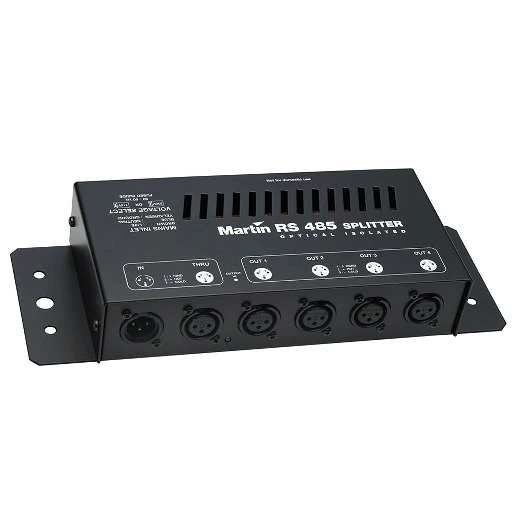
This optically isolated splitter amplifier allows you to add 4 branches to the data link for safe and trouble-free operation of larger DMX installations.
Características
- 4 Optically isolated and amplified DMX outputs
- Amplification allows the link to be extended over the maximum length specified by the DMX-512 standard.
- Several splitter amplifiers may be used on the same link if additional branches are required.
- Each branch of the link may be treated as an independent link with up to 32 fixtures each
- Robust construction for trouble-free use
Más detalles
Physical
Length: 293 mm
Width: 108 mm
Height: 49 mm
Weight: 1.4 kg
Construction
Housing: Steel
Finish: Electrostatic powder-coated
Color(s): Black
Connections
Input: 3-pin XLR male
Throughput (output with no amplification): 3-pin XLR female
Outputs (amplified and optically isolated): 4 x 3-pin XLR female
Electrical
AC power: 115/230 V, 50/60 Hz, switch-selectable
Approvals
EU safety: EN 60950
EU EMC: EN 55103-1, EN 55103-2
Ordering Information
RS-485 Optosplitter: 90758060
Descargas
Manuals
| Tamaño | |
|
|
1,4 MB |
|
|
202 KB |
|
|
153 KB |
|
|
150 KB |
 versión E,
actualizado: oct 2020
versión E,
actualizado: oct 2020
 versión E,
actualizado: oct 2020
versión E,
actualizado: oct 2020
Illustrations
| Tamaño | |
|
|
189 KB |
|
|
182 KB |

Compliances
| Tamaño | |
 DMX Switchpack, Ether2DMX Router, DABS1, 516 II Converter, RS 485 Optosplitter- EU Declaration of Conformity
 versión B,
actualizado: may 2018
versión B,
actualizado: may 2018
|
79,6 KB |
Service Notes
| Tamaño | |
LED Function Changed
 versión B,
actualizado: may 2018
versión B,
actualizado: may 2018
|
Si alguno de los enlaces anteriores muestra caracteres extraños en su navegador, haga clic con el botón derecho en el archivo para guardarlo en su computadora.


 Soporte para Consultores