Dernière mise à jour : fév. 25, 2025
Version 6.1.1 2025-02-25
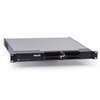
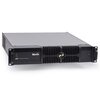
Recovers P3-175/275 System Controller to Software Version 6.1.1 by reformatting and re-installing the SSD
Instructions
- Download and install the P3-175/275 Recovery Tool on a Windows computer.
- Insert a blank USB memory device into the Windows computer.
- Start the P3-175/275 Recovery Tool.
- Select the inserted USB memory device when requested by the Tool.
- Select the "Attended Mode" option.
- The Tool will now prepare the USB memory device.
- Remove the USB memory device from the Windows computer when requested by the Tool.
- Power off the P3-175/275 System Controller.
- Insert the USB memory device into the P3-175/275 System Controller.
- Power on the P3-175/275 System Controller.
- The P3-175/275 System Controller will boot from the USB memory device.
- Follow the on-screen instructions.
- Remove the USB memory devices from the P3-175/275 System Controller when requested by the Tool.
- Power off the P3-175/275 System Controller.
- Power on the P3-175/275 System Controller.
- The P3-175/275 System Controller will now start up normally.
 télécharger