Dernière mise à jour : sept. 15, 2026
Version 6.4.0 2026-09-15
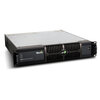
Updates P3 System Controller running software 6.4.0 with the latest personality files and fixture firmware files.
Only applicable for P3 System Controllers running software 6.4.0.
Instructions
- Unpack the attached ZIP file and place all files on a USB memory device.
- Plug the USB memory device into the P3 System Controller.
- Close your open showfile.
- On the P3 System Controller, navigate to Settings -> Device & Firmware Library (top-left corner).
- Navigate to the "User Library" tab.
- Delete any old files which may be present in the Library on the bottom.
- Locate the files in the File Browser on the top (on the USB memory device).
- Drag all files to the Library on the bottom.
- Navigate to the "Current Device Firmware" tab.
- Set the Current Device Firmware for each Device to the latest (highest) version.
- Navigate to the "Current GDTF Revisions" tab.
- Set the GDTF Revision for each Device to the latest version.
- Create a new showfile on the P3 System Controller.
- All fixtures will now be available from the Fixture Library on the left.
- Upon connecting fixtures running an older firmware, the P3 System Controller will suggest to update their firmware.
Updated Personality Files
<none>
Newly Added Personality Files
<none>
Updated GDTF Files
- MAC Ultra Performance (2026-09-14)
- MAC Ultra Wash (2026-09-14)
Newly Added GDTF Files
<none>
Newly Added Fixture Firmware Files
<none>
 télécharger