P3-PC System Controller

FREE PC-based System Controller for Easy Mapping and Control

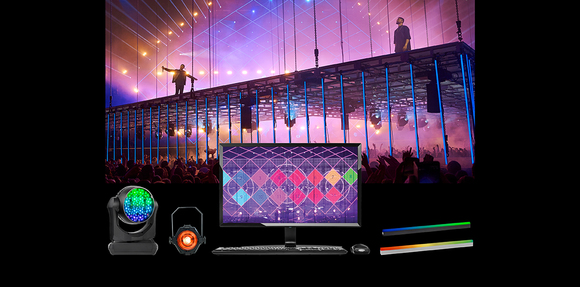
The Martin P3-PC System Controller is a PC-based solution driving video and DMX controls into the entire Martin range of Creative LED products and P3-enabled MAC moving heads. It controls systems of up to 20.736 pixels, takes screen-capture input, NDI video input, video input from a Green Hippo media server (when installed on the same machine), Art-Net input and sACN input. P3-PC can also be used as an off-line editor for the entire range of P3 System Controllers to preprogram shows anywhere on a PC, and as a tool for firmware uploads and addressing/testing of Martin P3-enabled fixtures.

The Martin P3-PC System Controller also outputs the P3 Visualizer Protocol, enabling real-time (3D) visualization by compatible third-party (3D) visualizers. Greatly improving pre-programming workflows.

  • MIX DMX AND VIDEO CONTROL

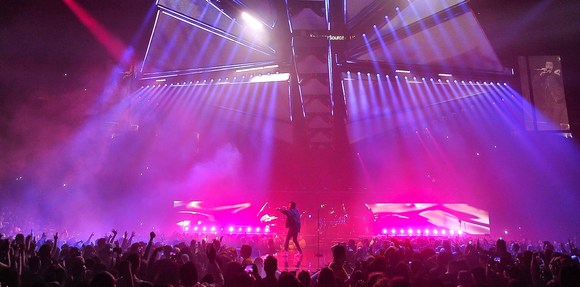
    Gives the lighting designer the freedom to create unique looks by entering parameters or by sending content to fixtures to ultimately create the ideal look that the designer envisions.
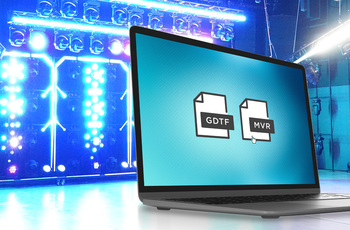
  • INTÉGRATION MVR : UN GAIN DE TEMPS

    Les mappages et les patchs peuvent être exportés vers des consoles d'éclairage tierces, des logiciels de visualisation et de CAO. Inutile de recréer plusieurs fois un même système avec différents logiciels.
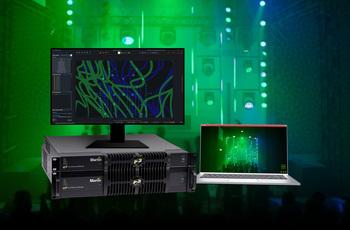
  • Protocole de visualiseur 3D tiers

    Permet une intégration fluide avec les logiciels de visualisation 3D tiers afin d'offrir une visualisation 3D spectaculaire dans l'environnement P3, idéale pour les tournées, les spectacles et tous les besoins d'éclairage professionnel.
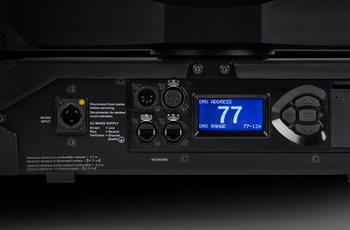
  • ADRESSAGE ET CONFIGURATION À DISTANCE

    Plus besoin d'accéder physiquement aux projecteurs pour les adresser et les configurer un à un depuis leur afficheur.
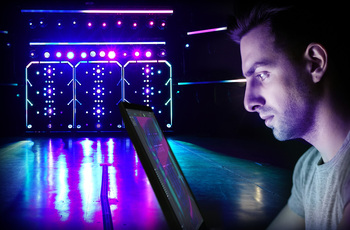
  • MONITORING EN TEMPS RÉEL

    Offre une vue d'ensemble complète de votre système pour diagnostiquer tout problème.

  • SYNCHRONISATION À L'ÉCHELLE DU SYSTÈME

    Garantissez des performances parfaites sur l'ensemble du système, sans décalage visible ni problème de latence.
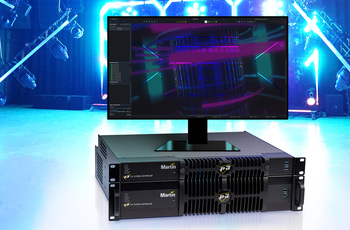
  • LIVE PREVIEW

    Visualize results during pre-programming without connecting actual fixtures.

featured content

MIX DMX AND VIDEO CONTROL

Gives the lighting designer the freedom to create unique looks by entering parameters or by sending content to fixtures to ultimately create the ideal look that the designer envisions.

featured content

INTÉGRATION MVR : UN GAIN DE TEMPS

Les mappages et les patchs peuvent être exportés vers des consoles d'éclairage tierces, des logiciels de visualisation et de CAO. Inutile de recréer plusieurs fois un même système avec différents logiciels.

featured content

Protocole de visualiseur 3D tiers

Permet une intégration fluide avec les logiciels de visualisation 3D tiers afin d'offrir une visualisation 3D spectaculaire dans l'environnement P3, idéale pour les tournées, les spectacles et tous les besoins d'éclairage professionnel.

featured content

ADRESSAGE ET CONFIGURATION À DISTANCE

Plus besoin d'accéder physiquement aux projecteurs pour les adresser et les configurer un à un depuis leur afficheur.

featured content

MONITORING EN TEMPS RÉEL

Offre une vue d'ensemble complète de votre système pour diagnostiquer tout problème.

featured content

SYNCHRONISATION À L'ÉCHELLE DU SYSTÈME

Garantissez des performances parfaites sur l'ensemble du système, sans décalage visible ni problème de latence.

featured content

LIVE PREVIEW

Visualize results during pre-programming without connecting actual fixtures.

Vidéos


Caractéristiques

  • Completely free of charge – No license dongle required
  • Off-Line Editor for all P3 System Controllers
  • Stand-Alone P3 System Controller software for smaller setups
  • Full HD video input compatible (NDI, Hippo Integration & Screen Capture)
  • 256 universes of Art-Net / sACN input
  • Outputs up to 20,736 pixels on 2,000 fixtures
  • Installs on any Windows computer
  • Map a mix of Martin fixtures onto one visual canvas
  • Patch, address and configure Martin fixtures, without having to directly address and configure each fixture
  • Export mapping and patch to third-party lighting controllers, CAD programs and visualizers via MVR
  • Import mapping and patch from third-party lighting controllers, CAD programs and visualizers via MVR
  • Export mapping mask to third-party media servers
  • Provides real-time (pixel-)data to third-party (3D) visualization software
  • Provides real-time feedback and monitoring of Martin fixtures

Caractéristiques techniques

  • Control/User Interface Determined by machine onto which the P3-PC System Controller software is installed
    Minimum System Requirements

    Computer running Windows 10 or 11 (64 bit only)
    Intel Core i3 or better processor
    4 GB RAM
    250 MB available hard disk space
    Display with Full HD or better resolution
    Full administrator rights on PC
    Gigabit Ethernet port for P3 output
    Separate Ethernet port for Art-Net / sACN input (if used)
    Separate Ethernet port for NDI input (if used)

    NDI Video Input

    Standard: NDI & NDI-HX
    Resolution: Supporting all standard resolutions up to 1920x1080 (Full HD)
    Framerate: Supporting frame rates up to 75fps

    Screen Capture Video Input

    Real-time capture of any section (up to 1920x1080) of screen on machine on which P3-PC is installed
    Capturing frame rate configurable up to 50 Hz
    No direct support for third-party capture cards

    Hippo Share Video Input

    Direct capture of any Hippotizer viewport when P3-PC is installed on a Hippo V4 (or newer) media server
    Support for flipping image upside down

    Video Processing

    Controller pixel processing capacity: 20,736 pixels*
    Controller fixture capacity: 2,000 fixtures*
    Maximum workspace area: 8,847,360 pixels
    Maximum active capture area: 2,073,600 pixels
    System processing depth: 16 bits per color (48 bits per pixel)
    System latency: 3 frames
    Latency between first and last fixture: None
    Scaling: Yes, global and mixed pixel pitch
    Gamma Curve Control: Yes, adjustable
    Image Control Parameters: Brightness, Contrast, Lowlight & Gain
    Mapping: Real-time
    Colour Temperature Control: Real-time
    Colour Space Control: Real-time
    Preview: Real-time (incoming video & mapping onto fixtures)
    *See also P3 System Controller Capacity Info Note on Downloads page

    DMX Controls

    Up to 256 universes of Art-Net or sACN input*
    Control of intensity and colours
    Control of colour temperature
    Merge video input with DMX controls towards fixtures
    Cross-fade or toggle between video and DMX controls
    Freeze, blackout or activate testpatterns on video engine
    Recall video presets (video settings, fixture positions and more)
    *See also P3 System Controller Capacity Info Note on Downloads page

  • Motion Controls

    One universe of Art-Net, sACN or Kinesys K2 input*
    Compatible with Kinesys K2/Vector, Tait Navigator and others
    Control fixture or group position on video canvas
    Control fixture or group rotation on video canvas
    *See also P3 System Controller Capacity Info Note on Downloads page

    Visualizer Output

    Outputs the P3 Visualizer Protocol to compatible third-party (3D) visualizers via a standard network interface (can also communicate with third-party (3D) visualizer installed on the same machine)
    Real-time transfer of pixel data, synchronization, calibration data, fixture patch and more
    Compatible third-party visualizers: Capture 2025

    P3 Signal Protocol

    Signal type: Gigabit Ethernet
    Protocol : Proprietary Martin P3
    Hot pluggable: Yes, electrically isolated at all connections
    Cable type: Ethernet, shielded, Cat 5e or better
    Cable length: Up to 100 m between any 2 devices, extendable with Ethernet switch
    Maximum number of fixtures per daisy-chain: 50, extendable with Ethernet switch

    Installation

    Any standard PC running Windows 10 or 11 (64 bit only)

    Connections

    P3 data in/out: Gigabit Ethernet network port
    EtherDMX Network (Art-Net, sACN and Kinesys K2/Vector): 100/1000Mbit Ethernet network port (or loopback on same machine)
    NDI Video In: 100/1000Mbit Ethernet network port (or loopback on same machine)
    Third-Party (3D) Visualizer Out: 100/1000Mbit Ethernet network port (or loopback on same machine)

    Related Items

    Martin P3-175 System Controller: P/N MAR-90721100
    Martin P3-275 System Controller: P/N MAR-90721101

    Ordering Information Martin P3-PC System Controller: Free download from www.martin.com

Téléchargements

Specifications
  Version Langue Taille Téléchargé
file type icon P3-PC System Controller - Spec Sheet
en version A, mis à jour : oct. 2023
A  en  249 ko oct. 2023
2  en  1,24 Mo oct. 2025
Manuals
  Version Langue Taille Téléchargé
file type icon P3 System Controllers - Keyboard Shortcuts
en version F, mis à jour : août 2023
F  en  37,5 ko août 2023
file type icon P3 System Controllers - Getting Started Video
en version 6.0.0, mis à jour : déc. 2023
6.0.0  en  déc. 2023
file type icon P3-PC System Controller Installation Guide
en version D, mis à jour : juil. 2024
D  en  1,45 Mo juil. 2024
file type icon P3 System Controllers - Capacity Info Note
en version R, mis à jour : fév. 2025
R  en  215 ko fév. 2025
file type icon P3 System Controllers – Training Videos
en version A, mis à jour : oct. 2023
A  en  oct. 2023
file type icon P3 System Controllers - DMX Protocol
en version 5.3.0, mis à jour : août 2023
5.3.0  en  240 ko août 2023
Symbols
  Version Langue Taille Téléchargé
file type icon Martin Professional GDTF Library
en version A, mis à jour : oct. 2023
A  en  203 octets oct. 2023
Software
  Version Taille Téléchargé
download icon for P3-PC Software P3-PC Software
version 6.4.1, mis à jour : oct. 2026
6.4.1   149 Mo oct. 2026
download icon for P3 Personality and Firmware Update Package 6.4.0 P3 Personality and Firmware Update Package 6.4.0
version 2026-09-15, mis à jour : sept. 2026
2026-09-15   2,53 Mo sept. 2026
download icon for P3 Personality and Firmware Update Package 6.3.2 P3 Personality and Firmware Update Package 6.3.2
version 2026-09-15, mis à jour : sept. 2026
2026-09-15   40,4 Mo sept. 2026
download icon for P3 Personality and Firmware Update Package 5.3.2 P3 Personality and Firmware Update Package 5.3.2
version 2026-09-15, mis à jour : sept. 2026
2026-09-15   29,5 Mo sept. 2026
download icon for P3 Fixture Adjuster One-Key Conversion P3 Fixture Adjuster One-Key Conversion
version 2016-05-30, publié : oct. 2023
2016-05-30   446 ko oct. 2023
download icon for P3 Personality and Firmware Update Package 6.4.1 P3 Personality and Firmware Update Package 6.4.1
version 2026-10-21, mis à jour : oct. 2026
2026-10-21   288 octets oct. 2026
Service Notes
  Version Langue Taille Téléchargé
VC-Grid/Strip products with P3 Software 3.1.1 or newer
en version A, mis à jour : mai 2018
A   en    mai 2018
Running P3 network in surge-sensitive environment
en version A, mis à jour : mai 2018
A   en    mai 2018
Showfiles
  Version Langue Taille Téléchargé
file type icon Martin P3 Content Package - H.264
en version B, mis à jour : avr. 2026
B  en  2,69 Go avr. 2026
file type icon Martin P3 Content Package Rev. B Part 1 - H.264
en version B, mis à jour : août 2023
B  en  950 Mo août 2023
file type icon Martin P3 Content Package Rev. B Part 2 - H.264
en version B, mis à jour : août 2023
B  en  883 Mo août 2023
file type icon Martin P3 Content Package Rev. B Part 3 - H.264
en version B, mis à jour : août 2023
B  en  924 Mo août 2023

Si l'un des liens ci-dessus affiche des caractères étranges dans votre navigateur, faites un clic droit sur le fichier pour l'enregistrer sur votre ordinateur.

News

HARMAN Pro Insights

Assistance/FAQ