M2PC
Eingestellt

M2PC
Größere Bilder

Effective 14 March, 2018, Elation Professional has acquired the M-Series range of lighting controllers and software from HARMAN Professional and will now be providing sales and product support. View the announcement from Elation Professional.

M2PC uses M-PC as software that will run on a Windows PC and can be downloaded here.

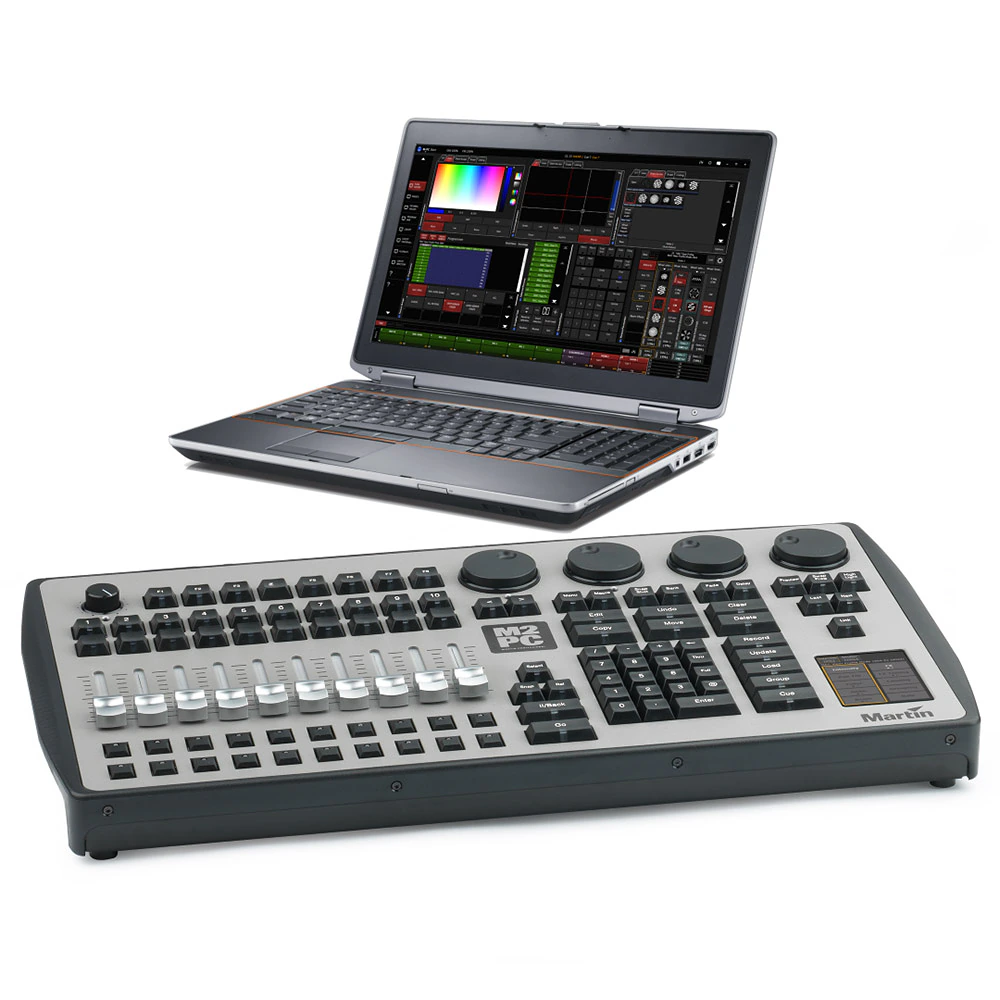
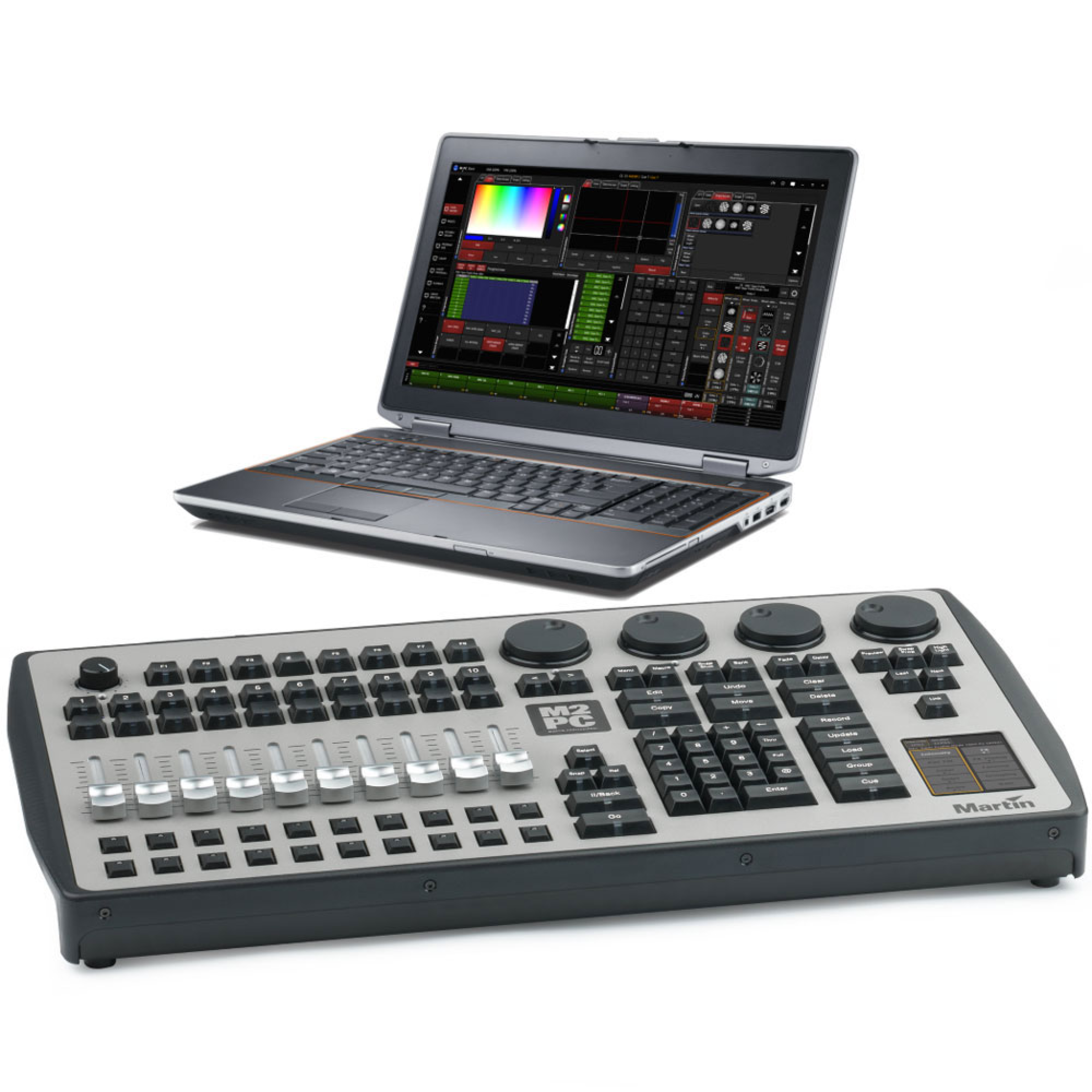
M2PC is the complementary control surface to Martin’s M-PC controller software. Featuring the same layout and portable size as the M2GO, the M2PC delivers a professional level of features directly from any PC. Following the philosophy and simplicity of our current M-series controller platform, the Martin M2PC is one of the most powerful and affordable PC-based lighting controllers on the market.

  • Powerful PC wing
  • Portable
  • 10 playbacks

Videos


Eigenschaften

  • USB 2.0 Connection to Windows PC
  • 3.5” touchscreen for fast and direct parameter access
  • 4 digital encoders for parameters
  • 8 customizable function keys
  • 4 DMX ports standard
  • Standard license for 64 Universes - up to 128 Universes with optional expansion license pack
  • Controls up to 65536 parameters
  • Customizable Graphical User Interface with context sensitive toolbars and integrated Help menu
  • Powerful effects engine
  • 1000 cuelists with fader control
  • 1000 cuelists with playback control buttons
  • Parallel execution of multiple cuelists
  • Submaster, Inhibitives and Override functionality
  • Parameter and Time-fanning functionality
  • Auto update for presets and cues
  • On-the-fly global timing adjustments
  • M-Series Manager Software for programming and triggering via time and calendar schedules
  • Multiple wing attachment (M-Series Modules, M-Play, M-Touch)

Mehr Details

PhysicalLength: 300 mm (11.9 in.)Width: 540 mm (21.3 in.)Height: 99 mm (3.9 in.)Weight: 4.6 kg (10.2 lbs.)
Control and ProgrammingProtocol: DMX512A (RDM), Art-Net2, sACN64 x DMX universes, expandable to 12832768 x channels, expandable to 65536No limit to number of DMX channels per fixtureExtensive fixture library for all known manufacturers2D Plan visualizer for fixture selection65000 x presets for each group of functions (P/T, color, gobo, etc.)Effect generator for automated programming of complex effectsCustomizable highlight and lowlight function to identify individual fixturesRelative or absolute programmingFan function for all channels (including timing parameters)On-the-fly global timing changesVirtual cuelistsMacrosWait, follow and link cuesHTP, LTP, chase, timecode, submaster and inhibitive playback functionalityIndividual parameter timingsIntuitive patch featureFixture type cloningAll channels with 16-bit resolution
Control/User InterfaceMain playback interface: 10 x 60 mm playback faders, each with 4 x function- assignable buttons8 x customizable multi-function keysPlayback Select buttonMaster Go section with Go, Pause, Snap and Release4 x digital rotary encoders with push function and status LED for fixture parameter control3.5” touchscreen for parameter groups, effect parameters, fanning and global timingsGrand master rotary fader and buttonBlind/preview buttonCustomizable highlight/lowlight functionCustomizable parameter defaultsNext/last fixtures/groupsLarge command keys
PlaybackAssign a cue, cuelist or effect to any playback fader500 x playback banks, each containing 10 playbacks100 x pages of 100 x playbacks activated by touchscreen buttonNo limit to cues per cuelistFull 16-bit fading for high-resolution fixturesIndividual fade in/fade out times for all playbacksManual override available at all timesLive 0-1000% override of global cue timingsLive programmer timing (“Sneak”)Cuelists can be executed in tracking or non-tracking mode
Minimum System RequirementsWindows 7, 8.1 or 10Dual-core processor, 2.0 GHz (Intel i5 or better recommended)4 GB RAM2 GB available disk space (SSD recommended)Widescreen monitor, minimum 1280x800 (capacitive touchscreen recommended)USB 2.0 port for Martin One Key™ and Martin USB Duo™ DMX Interface Box10/100 Ethernet port for Art-Net DMX output100/1000 Ethernet port for MAXNET and Remote operationFull administrator rights on PC
Connections4 x DMX universe outputs: 5-pin locking XLRReady to receive internal MIDI module and SMPTE timecode moduleInternal MIDI in/out/thru (MIDI show control, MIDI notes, MIDI timecode): OptionalInternal SMPTE Timecode In/Out: 3-pin XLR (optional)12 VDC power supply input: 4-pin XLRDesk lamp: XLR
ElectricalAC mains power to 12 VDC external PSU (included):100-240 V nominal, 50/60 HzMaximum current: 1.4 A12 VDC output: 5 A, 60 W max.
Included Items1.5 m power cable, EU (Schuko), 3-pin IEC1.5 m power cable, US, 3-pin IECMW 12 VDC 5 A external PSUMartin One-Key™ with Martin ShowDesigner 6 Lite™ one-year license and Martin™ M-PC 64 universes licenseUser documentationConsole lid
AccessoriesMartin M-Sync™ SMPTE USB Interface Box: P/N 90703020Martin™ SMPTE USB Internal Module for M2GO/M2PC:P/N 90703040USB-MIDI Port Internal Module: P/N 91613038Replacement 12 VDC external PSU: P/N 91613100LED Desklamp, Angular XLR, 13”: P/N 91613090Martin™ One-Key with Martin™ M-PC Pro-64 /LightJockey4 License: P/N 70758460Martin™ M2GO/M2PC USB-DMX internal PCB with 2 x DMX ports: P/N 90703030Martin M-DMX Interface Box / Martin M-PC 2U package: P/N 90737070
Related ItemsM-Series Submaster Module: P/N 90732170M-Series Playback II Module: P/N 90732190Martin™ M-Touch: P/N 90737040Martin™ M-Play: P/N 90737030Martin™ M-PC Pro-64 / LJ-4 Controller kit: P/N 90737060
Ordering InformationM2PC™ Console: P/N 90737010

Downloads

Specifications
  Sprache Größe Hochgeladen
file type icon M2PC Spec Sheet-English
en aktualisiert: Okt 2020
en  2,16 MB Okt 2020
Manuals
  Version Sprache Größe Hochgeladen
file type icon M2GO, M2PC- Safety and Installation guide
en Version A, aktualisiert: Mai 2018
en  1,54 MB Mai 2018
Compliances
  Version Sprache Größe Hochgeladen
file type icon M2GO, M2PC- EU Declaration of Conformity
en Version A, aktualisiert: Mai 2018
en  38,6 KB Mai 2018
Software
  Version Sprache Größe Hochgeladen
file type icon Martin M2GO / M2PC firmware for release version
en Version 3.70.885, aktualisiert: Mai 2018
3.70.885  en  191 KB Mai 2018
file type icon Firmware Update Package
en Version C, aktualisiert: Okt 2020
en  369 MB Okt 2020
file type icon M-Series Software
Version 3.70.885, aktualisiert: Jun 2018
3.70.885    Jun 2018
Service Notes
  Version Sprache Größe Hochgeladen
file type icon USB DMX configuration on M2GO-M2PC
en Version A, aktualisiert: Mai 2018
en  413 KB Mai 2018
file type icon Martin M2GO / M2PC Firmware Installation Instructions
en Version 3.52.718, aktualisiert: Mai 2018
3.52.718  en  1,01 MB Mai 2018
file type icon MIDI/SMPTE PCB Installation Guide
en Version B, aktualisiert: Mai 2018
en  5,52 MB Mai 2018
Hints and Tips
  Version Sprache Größe Hochgeladen
file type icon Decimal to ArtNet Universe Conversion Table
en Version A, aktualisiert: Okt 2020
en  78,5 KB Okt 2020
Trainings
  Version Sprache Größe Hochgeladen
file type icon M-Series 01: The Interface
aktualisiert: Dez 2017
    Dez 2017
M-Series 01: The Interface
en Version A, aktualisiert: Aug 2023
A   en    Aug 2023
M-Series 02: Patch
en Version A, aktualisiert: Aug 2023
A   en    Aug 2023
M-Series 03: Fixtures and Groups
en Version A, aktualisiert: Aug 2023
A   en    Aug 2023
M-Series 05: FX
en Version A, aktualisiert: Aug 2023
A   en    Aug 2023
M-Series 06: Cues and cuelists
en Version A, aktualisiert: Aug 2023
A   en    Aug 2023
M-Series 07: Network
en Version A, aktualisiert: Aug 2023
A   en    Aug 2023
file type icon M-Series 02: Patch
aktualisiert: Dez 2017
    Dez 2017
file type icon M-Series 03: Fixtures and Groups
aktualisiert: Dez 2017
    Dez 2017
file type icon M-Series 05: FX
aktualisiert: Dez 2017
    Dez 2017
file type icon M-Series 06: Cues and cuelists
aktualisiert: Dez 2017
    Dez 2017
file type icon M-Series 07: Network
aktualisiert: Dez 2017
    Dez 2017
Firmware
  Größe Hochgeladen
download icon for M-Series Firmware Update Program M-Series Firmware Update Program
veröffentlicht: Jul 2020
369 MB Jul 2020

Falls einer der obigen Links zu seltsamen Zeichen in Ihrem Browser führt, klicken Sie bitte mit der rechten Maustaste auf die Datei, um sie auf Ihrem Computer zu speichern.

Nachrichten

Support/FAQs

HARMAN Professional Solutions:

M2PC
Eingestellt