Companion Desktop

เครื่องมือจัดการและอัปโหลดเฟิร์มแวร์สำหรับ Martin fixtures ทั้งหมด

Companion Desktop
รูปภาพขนาดใหญ่

Companion Desktop เป็นเครื่องมือจัดการฟิกซ์เจอร์ อัปโหลดเฟิร์มแวร์ และการเขียนโปรแกรมแบบสแตนด์อโลนที่เข้ากันได้กับฟิกซ์เจอร์ Martin ทั้งหมด เพื่อให้ใช้งานได้ง่ายที่สุด แอปพลิเคชัน Companion Desktop จะซิงค์โครไนซ์กับไลบรารี่ของ Martin ผ่านอินเทอร์เน็ต ทำให้ไม่ต้องค้นหาในหน้าสนับสนุนเพื่อหาเฟิร์มแวร์ฟิกซ์เจอร์ล่าสุดหรือข้อมูลชิ้นส่วนอะไหล่อีกต่อไป

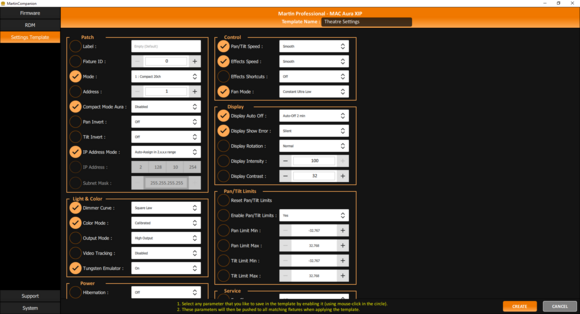
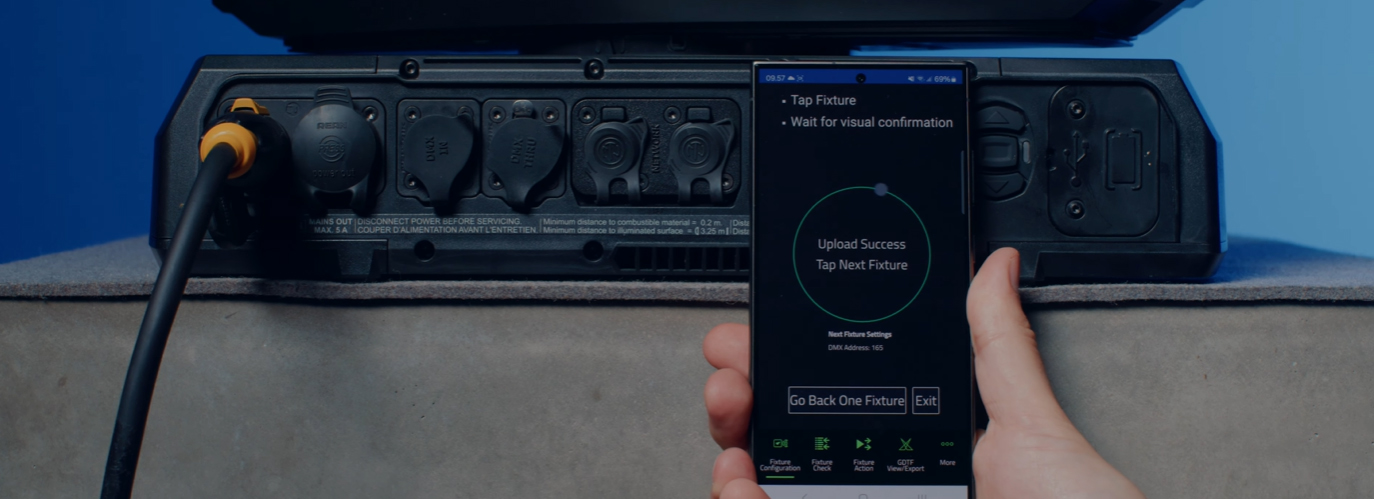
การรวมระบบ RDM ขั้นสูงช่วยให้ฟิกซ์เจอร์ทั้งหมดสามารถตั้งค่าและกำหนดระหว่างไกลได้ เพื่ออำนวยความสะดวกในการตั้งค่าฟิกซ์เจอร์จำนวนมากในครั้งเดียว ระบบการตั้งค่าฟิกซ์เจอร์ช่วยให้สามารถนำการตั้งค่าฟิกซ์เจอร์ทั้งชุดไปใช้กับฟิกซ์เจอร์ที่เลือกไว้ทั้งหมดในครั้งเดียว เครื่องมือ Quick Addressing ที่สร้างไว้ในตัวช่วยให้กำหนดที่อยู่ฟิกซ์เจอร์ด้วยเพียงคลิกเดียวต่อฟิกซ์เจอร์

เครื่องมือการเขียนโปรแกรมแบบสแตนด์อโลนที่มีการออกแบบอย่างมีประสิทธิภาพสร้างไว้ในตัวช่วยให้ฟิกซ์เจอร์สามารถเขียนโปรแกรมได้ถึง 20 ฉากที่มีเวลาการถือและอัตราการเลือนของแต่ละฉาก ฟิกซ์เจอร์สามารถรันทั้งหมดนี้ได้อย่างสมบูรณ์และซิงค์โครไนซ์กัน โดยไม่ต้องมีคอมพิวเตอร์หรือตัวควบคุมเชื่อมต่อ นอกจากนี้สามารถจัดเก็บ แบ่งปัน และนำการแสดงแบบสแตนด์อโลนกลับมาใช้ใหม่ได้ในภายหลัง

Companion Desktop ยังซิงค์โครไนซ์โดยอัตโนมัติกับไฟล์ GDTF ที่สร้างโดย Martin บน GDTF share ให้คุณเข้าถึงรายละเอียดฟิกซ์เจอร์ทั้งหมดเช่น DMX Modes รายการช่อง DMX Gobo Loadouts และอื่นๆ ไฟล์ GDTF สามารถส่งออกได้โดยตรงจาก Companion Desktop เพื่อใช้กับซอฟต์แวร์ที่เข้ากันได้กับ GDTF

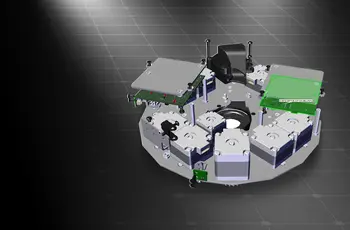
เครื่องมือค้นหาชิ้นส่วนอะไหล่สร้างไว้ในตัวช่วยให้เข้าถึงโมเดล 3 มิติของฟิกซ์เจอร์ Martin แต่ละตัว ซึ่งสามารถแยกออกจากกันเพื่อระบุชิ้นส่วนอะไหล่

นอกจากนี้ โปรดดูที่ Companion Mobile ซึ่งนำเสนอฟีเจอร์บางส่วนเดียวกันสำหรับอุปกรณ์มือถือ iOS และ Android

  • เข้ากันได้กับเครื่องไฟ Martin ทั้งหมด

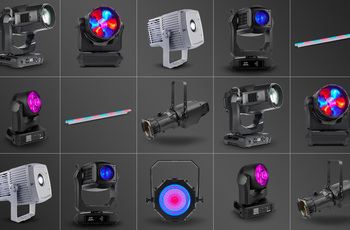
    Martin Companion สามารถอัปโหลดเฟิร์มแวร์ไปยังผลิตภัณฑ์ Martin ทุกรุ่น รวมถึง MAC, ERA, ELP, VDO และ Exterior

  • การเชื่อมต่อฟิกซ์เจอร์ผ่าน DMX หรือเครือข่าย

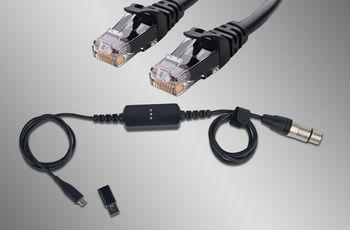
    การเชื่อมต่อระหว่าง Martin Companion และฟิกซ์เจอร์สามารถทำได้ผ่านสายเคเบิล Martin Companion หรือส่วนต่อประสานเครือข่ายมาตรฐาน

  • การซิงโครไนซ์คลาउด์อัตโนมัติ

    การซิงโครไนซ์ออนไลน์รับประกันว่าคุณมี firmware เวอร์ชันล่าสุด ตัวค้นหาอะไหล่ และไฟล์ GDTF ของ fixture ไว้ใช้งานเสมอ ไม่จำเป็นต้องเข้าเบราวส์หน้า support เพื่อค้นหา firmware อะไหล่ หรือไฟล์ GDTF เวอร์ชันล่าสุด Martin Companion ทำสิ่งนี้ให้คุณแล้ว

  • ส่งออกเพื่ออัปเดตผ่าน USB หรือ P3

    สามารถส่งออกเฟิร์มแวร์จาก Martin Companion เพื่ออัปเดตฟิกซ์เจอร์ผ่านอุปกรณ์เก็บข้อมูล USB หรือ Martin P3 System Controller ได้ เป็นทางเลือกแทนการอัปเดตฟิกซ์เจอร์ผ่าน Martin Companion

  • กำหนดค่าและแพตช์ฟีเจอร์ผ่าน RDM หรือ RDM over Art-Net

    ชุดเครื่องมือ RDM ที่บูรณการแล้วช่วยให้สามารถกำหนดค่าและแพตช์ฟิกซ์เจอร์ได้จากระยะไกล Martin Companion รองรับพารามิเตอร์ RDM มาตรฐาน และพารามิเตอร์ RDM ขั้นสูงเฉพาะของ Martin เพื่อกำหนดค่าฟิกซ์เจอร์สำหรับประสิทธิภาพสูงสุด

  • เทมเพลตการตั้งค่า Fixture สำหรับการปรับใช้อย่างรวดเร็ว

    อัปเดตการตั้งค่าของ fixture หลายตัวในเพียงไม่กี่วินาที ชุดการตั้งค่าใดๆก็สามารถบันทึกไว้ในเทมเพลตและนำไปใช้กับ fixture ทั้งหมดในระบบได้ ไม่จำเป็นต้องตรวจสอบการตั้งค่า fixture ทีละตัวด้วยตนเองอีกต่อไป

  • การเขียนโปรแกรมแบบอิสระ

    สามารถเขียนโปรแกรมโชว์ได้ถึง 20 ฉากพร้อมเวลาหยุดและเวลาเฟดแต่ละตัวลงในฟิกซ์เจอร์ Martin ที่เลือกโดยใช้ Martin Companion ฟิกซ์เจอร์จะรันโชว์ได้อย่างสมบูรณ์พร้อมกันโดยไม่ต้องเชื่อมต่อคอมพิวเตอร์หรือตัวควบคุม

  • ดูและส่งออก GDTF

    ดูไฟล์ GDTF ที่ Martin สร้างทั้งหมดเพื่อค้นหารายละเอียดของฟิกซ์เจอร์ และดาวน์โหลดโดยตรงจาก Martin Companion เพื่อให้สามารถเข้าถึงได้ตลอดเวลา

  • ตัวค้นหาชิ้นส่วนอะไหล่

    เปิดโมเดล 3D ของ fixture Martin แต่ละตัวและค้นหาชิ้นส่วนอะไหล่ที่คุณต้องการ

featured content

เข้ากันได้กับเครื่องไฟ Martin ทั้งหมด

Martin Companion สามารถอัปโหลดเฟิร์มแวร์ไปยังผลิตภัณฑ์ Martin ทุกรุ่น รวมถึง MAC, ERA, ELP, VDO และ Exterior

featured content

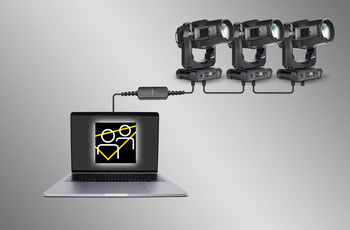
การเชื่อมต่อฟิกซ์เจอร์ผ่าน DMX หรือเครือข่าย

การเชื่อมต่อระหว่าง Martin Companion และฟิกซ์เจอร์สามารถทำได้ผ่านสายเคเบิล Martin Companion หรือส่วนต่อประสานเครือข่ายมาตรฐาน

featured content

การซิงโครไนซ์คลาउด์อัตโนมัติ

การซิงโครไนซ์ออนไลน์รับประกันว่าคุณมี firmware เวอร์ชันล่าสุด ตัวค้นหาอะไหล่ และไฟล์ GDTF ของ fixture ไว้ใช้งานเสมอ ไม่จำเป็นต้องเข้าเบราวส์หน้า support เพื่อค้นหา firmware อะไหล่ หรือไฟล์ GDTF เวอร์ชันล่าสุด Martin Companion ทำสิ่งนี้ให้คุณแล้ว

featured content

ส่งออกเพื่ออัปเดตผ่าน USB หรือ P3

สามารถส่งออกเฟิร์มแวร์จาก Martin Companion เพื่ออัปเดตฟิกซ์เจอร์ผ่านอุปกรณ์เก็บข้อมูล USB หรือ Martin P3 System Controller ได้ เป็นทางเลือกแทนการอัปเดตฟิกซ์เจอร์ผ่าน Martin Companion

featured content

กำหนดค่าและแพตช์ฟีเจอร์ผ่าน RDM หรือ RDM over Art-Net

ชุดเครื่องมือ RDM ที่บูรณการแล้วช่วยให้สามารถกำหนดค่าและแพตช์ฟิกซ์เจอร์ได้จากระยะไกล Martin Companion รองรับพารามิเตอร์ RDM มาตรฐาน และพารามิเตอร์ RDM ขั้นสูงเฉพาะของ Martin เพื่อกำหนดค่าฟิกซ์เจอร์สำหรับประสิทธิภาพสูงสุด

featured content

เทมเพลตการตั้งค่า Fixture สำหรับการปรับใช้อย่างรวดเร็ว

อัปเดตการตั้งค่าของ fixture หลายตัวในเพียงไม่กี่วินาที ชุดการตั้งค่าใดๆก็สามารถบันทึกไว้ในเทมเพลตและนำไปใช้กับ fixture ทั้งหมดในระบบได้ ไม่จำเป็นต้องตรวจสอบการตั้งค่า fixture ทีละตัวด้วยตนเองอีกต่อไป

featured content

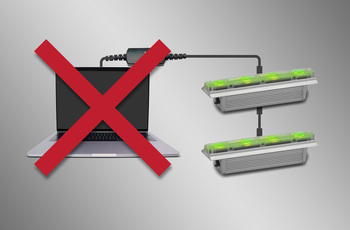
การเขียนโปรแกรมแบบอิสระ

สามารถเขียนโปรแกรมโชว์ได้ถึง 20 ฉากพร้อมเวลาหยุดและเวลาเฟดแต่ละตัวลงในฟิกซ์เจอร์ Martin ที่เลือกโดยใช้ Martin Companion ฟิกซ์เจอร์จะรันโชว์ได้อย่างสมบูรณ์พร้อมกันโดยไม่ต้องเชื่อมต่อคอมพิวเตอร์หรือตัวควบคุม

featured content

ดูและส่งออก GDTF

ดูไฟล์ GDTF ที่ Martin สร้างทั้งหมดเพื่อค้นหารายละเอียดของฟิกซ์เจอร์ และดาวน์โหลดโดยตรงจาก Martin Companion เพื่อให้สามารถเข้าถึงได้ตลอดเวลา

featured content

ตัวค้นหาชิ้นส่วนอะไหล่

เปิดโมเดล 3D ของ fixture Martin แต่ละตัวและค้นหาชิ้นส่วนอะไหล่ที่คุณต้องการ

วิดีโอ


คุณสมบัติ

  • เข้ากันได้กับ Martin fixture ranges ทั้งหมด รวมถึง MAC, ERA, ELP, VDO & Exterior
  • การซิงโครไนซ์แบบออนไลน์อัตโนมัติของไลบรารี firmware fixture, ไลบรารี spare parts finder และไลบรารี GDTF
  • Martin Companion Cable ที่แข็งแรงเพื่อเชื่อมต่อ fixtures กับคอมพิวเตอร์โดยใช้ DMX
  • การเชื่อมต่อเครือข่ายโดยตรงเพื่อเชื่อมต่อ fixtures กับคอมพิวเตอร์โดยใช้ Art-Net / sACN
  • Companion Desktop Application ดาวน์โหลดฟรีจากเว็บไซต์ Martin
  • ส่งออกตามตัวเลือกสำหรับการอัปเดต fixture ผ่าน USB memory device หรือ P3 System Controller
  • ส่งออกตามตัวเลือกสำหรับการอัปเดต Atmospheric Effects machine ผ่าน Epsilon 5 AVR Programmer
  • ฟังก์ชัน RDM ช่วยให้สามารถตรวจสอบและเปลี่ยนแปลงการตั้งค่า fixture ทั้งหมดได้จากระยะไกล
  • ส่งออก RDM ไปยัง CSV เพื่อเก็บรวบรวมข้อมูล fixture ได้อย่างง่ายดาย เช่น หมายเลขอนุกรม รายละเอียดการแพตช์ ตัวนับการใช้งาน และอื่น ๆ
  • Fixture Configuration ช่วยให้สามารถปรับใช้การตั้งค่าให้กับ fixtures หลายตัวพร้อมกันได้อย่างรวดเร็ว
  • Quick Addressing ช่วยให้สามารถตั้งที่อยู่ fixtures ได้เพียงคลิกเดียวต่อ fixture
  • Stand-Alone Programming ของ Martin fixtures ที่เลือก
  • บันทึก แชร์ และนำเสนอ Stand-Alone shows ใหม่
  • GDTF viewer และเครื่องมือส่งออก
  • Spare Parts Finder

ข้อมูลจำเพาะ

  • System Requirements

    Computer running Windows 10 or 11 (32 or 64-bit)
    Intel Core i3 or better processor
    4 GB RAM
    4 GB available hard disk space
    Display with Full HD or better resolution
    USB 1.1 (or higher) port (USB Type A or USB Type C) for connection of Companion Cable
    Ethernet port for RDM over Art-Net communication (if used)
    Full administrator rights on PC

    Supported Fixture Communication Protocols

    RDM (via Companion Cable)
    RDM over Art-Net (via standard Ethernet Port)
    Multiple proprietary fixture firmware upload protocols

    Included Items
    Supported RDM Parameters

    Fixture Configuration
    General: Manufacturer, Model, Label, Fixture ID
    Patch: Mode, Universe, Address, Compact Mode Aura, Pan Invert, Tilt Invert, Pan/Tilt Swap, Pixel Flip Mode, IP Settings
    UCM: SHoW ID, SHoW Key, Output Power, Antenna Type, Connection State, Module Manufacturer, Module Model, Module Firmware
    Light & Color: Dimmer Curve, Color Mode, Output Mode, Manual CTC, Manual Tint, Keylight Calibration, Gobo CT Correction, Video Tracking, Strobe Behavior, Tungsten Emulation, High Refresh
    Control: FollowSpot Mode, Pan/Tilt Speed, Effects Speed, Effects Shortcuts, Focus Tracking, Framing Mode, Hyper Zoom, Fan Mode, Extra Blackout
    Display: Display Auto Off, Display Show Error, Display Rotation, Display Intensity, Display Contrast
    Power: Power Limit, Hibernation, DMX Lost Mode, Standalone Mode, Reset via DMX, Lamp Off via DMX, Lamp On Mode, Lamp State, Power State, DC Output Control
    Outdoor: Auto Empty Water
    Pan/Tilt Limits: Enable Pan/Tilt Limits, Pan Limit Min, Pan Limit Max, Tilt Limit Min, Tilt Limit Max
    Details: Serial Number, UID, MAC Address, Protocol Version, Device Model ID, Art-Net OEM Code, Product Category, Firmware Version, Sub-Device Count
    Service: Status, Sensors Readout, Device Hours, Lamp Hours, Lamp Strikes, Power Cycles, Pixel Quantity

    Fixture Action
    Factory Defaults: Set Factory Defaults
    Reset Fixture: Warm Reset, Cold Reset
    Hibernation: Disable, Enable
    IP Settings: Reset IP Settings
    Pan/Tilt Limits: Reset Pan/Tilt Limits
    Outdoor Actions: Stop, Empty Head, Dry Off, Safe Parking
    Fan Clean: Stop, Start
    SelfTest: Stop, Test All, Test Pan/Tilt, Test Effects, Test LEDs, Identify

    Stand-Alone Programming
    Proprietary set of Martin RDM commands

    * Not all parameters are supported by all fixtures
    * Martin Companion uses a combination of standard RDM commands and Martin-specific RDM commands

    Supported Fixtures - Firmware Upload*

    Firmware Upload via DMX Cable:
    - All products from Martin MAC, ERA, ELP, RUSH and Exterior ranges
    - Select products from Martin VDO range
    Firmware Upload via Network:
    - Select products from Martin MAC, VDO and Exterior ranges
    Firmware Export and Upload into Fixture via USB stick:
    - Select products from Martin MAC and ERA ranges
    Firmware Export and Upload into Fixture via P3 System Controller:
    - All products from Martin VDO and VC ranges
    - Select products from Martin MAC and Exterior ranges
    Firmware Export and Upload into Fixture via Epsilon 5 AVR Programmer:
    - Atmospheric Effects in Martin Magnum and RUSH ranges

    * Detailed Overview can be found here.

    Supported Fixtures - Fixture Configuration

    Any fixture supporting RDM and/or RDM over Art-Net

    * Martin Companion uses a combination of standard RDM commands and Martin-specific RDM commands, which are not supported on non-Martin fixtures

    Supported Fixtures - Fixture Action

    Any fixture supporting RDM and/or RDM over Art-Net

    * Martin Companion uses a combination of standard RDM commands and Martin-specific RDM commands, which are not supported on non-Martin fixtures

    Supported Fixtures - Stand-Alone Programming

    Martin ELP Manet 8F
    Martin Exterior Dot Pro series
    Martin Exterior Linear Pro series
    Martin Exterior Projection Pro series
    Martin Exterior Wash Pro series
    Martin MAC Aura Raven XIP
    Martin MAC Encore Two
    Martin MAC One
    Martin MAC One Beam
    Martin MAC Viper XIP
    Martin VDO Sceptron XB

    Supported Fixtures - GDTF View & Export All Martin products
  • Supported Fixtures - Spare Parts Finder All Martin products
    Physical (Companion Cable) Length: 68 mm (2.7 in.) Width: 29 mm (1.2 in.) Height: 17 mm (0.7 in.) Weight: 99 g (3.5 oz.)
    Control/User Interface (Companion Cable) Configuration and management: Companion Desktop Software Device status: 3 x status LEDs (USB, DMX & Status)
    Construction (Companion Cable) Housing: Plastic Color: Matte Black Protection rating: IP20 Non-domestic use in dry location only
    Connections (Companion Cable) Computer Interface: USB 2.0 Type C (adapter to USB Type A included) DMX/RDM data: 5-pin locking XLR
    Electrical (Companion Cable) Power Rating: 5 VDC over USB Maximum current draw: 150 mA
    Thermal (Companion Cable) Maximum ambient temperature (Ta max.): 50° C (122° F) Minimum ambient temperature (Ta min.): 0° C (32° F)
    Approvals (Companion Cable) EMC: CAN ICES-3 U(B) / NMB-3 (B)
    Related Items

    Companion Mobile Software: Free download from App Store and Google Play

    Ordering Information

    Companion Desktop Software: Free download from www.martin.com
    Companion Cable: P/N 91616091

การดาวน์โหลด

Manuals
  เวอร์ชัน ภาษา ขนาด อัปโหลดแล้ว
file type icon Martin Companion - Getting Started Video
en เวอร์ชัน 2.0.0, อัปเดต: ธ.ค. 2023
2.0.0  en  ธ.ค. 2023
file type icon Martin Companion Cable - User Manual
en เวอร์ชัน C, อัปเดต: พ.ย. 2024
en  234 กิโลไบต์ พ.ย. 2024
Compliances
  ภาษา ขนาด อัปโหลดแล้ว
file type icon Martin Companion Cable - FCC Declaration of Conformity
en อัปเดต: พ.ย. 2023
en  287 กิโลไบต์ พ.ย. 2023
file type icon Martin Companion Cable - Declaration of Conformity
en อัปเดต: พ.ย. 2023
en  498 กิโลไบต์ พ.ย. 2023
Software
  เวอร์ชัน ขนาด อัปโหลดแล้ว
Windows download icon Companion Desktop - Windows
เวอร์ชัน 2.2.1, อัปเดต: มิ.ย. 2026
2.2.1   96.1 เมกะไบต์ มิ.ย. 2026
Service Notes
  เวอร์ชัน ภาษา ขนาด อัปโหลดแล้ว
file type icon Updating Legacy USB-DMX devices (only supported on Martin Companion 1.6.0 and older)
en เวอร์ชัน A, อัปเดต: พ.ย. 2023
en  723 กิโลไบต์ พ.ย. 2023

หากลิงก์ใดด้านบนแสดงตัวอักษรแปลกๆ ในเบราว์เซอร์ของคุณ โปรดคลิกขวาที่ไฟล์เพื่อบันทึกไว้ในคอมพิวเตอร์ของคุณ

ข่าว

HARMAN Pro Insights

Designing Smarter Workflows with Precision Lighting Fixture Management Tools feature

Designing Smarter Workflows with Precision Lighting Fixture Management Tools

    Professional lighting setups demand precise configuration, reliable diagnostics, and up-to-date firmware. Yet DMX addressing, firmware mismatches, and manual data entry often slow down designers, rental houses, and system techs. Effective lighting fixture management tools can eliminate these pain points and keep every show

CONTINUE READING

การสนับสนุน/คำถามที่พบบ่อย