
Companion Mobile

CÔNG CỤ CẤU HÌNH VÀ CHẨN ĐOÁN THIẾT BỊ TRÊN THIẾT BỊ DI ĐỘNG VÀ ỨNG DỤNG

Companion Mobile

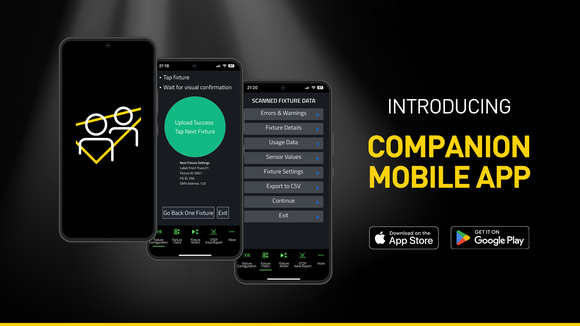
Companion Mobile là phiên bản dựa trên ứng dụng của công cụ quản lý fixture Companion, tải lên firmware và lập trình độc lập. Nó tương thích với các fixture Martin được hỗ trợ NFC (Near Field Communication), bao gồm MAC Viper XIP, MAC Aura Raven XIP, MAC Encore Two, ELP Manet 8F và nhiều fixture khác được dự kiến trong tương lai. Ứng dụng miễn phí này có sẵn cho các thiết bị di động iOS và Android.

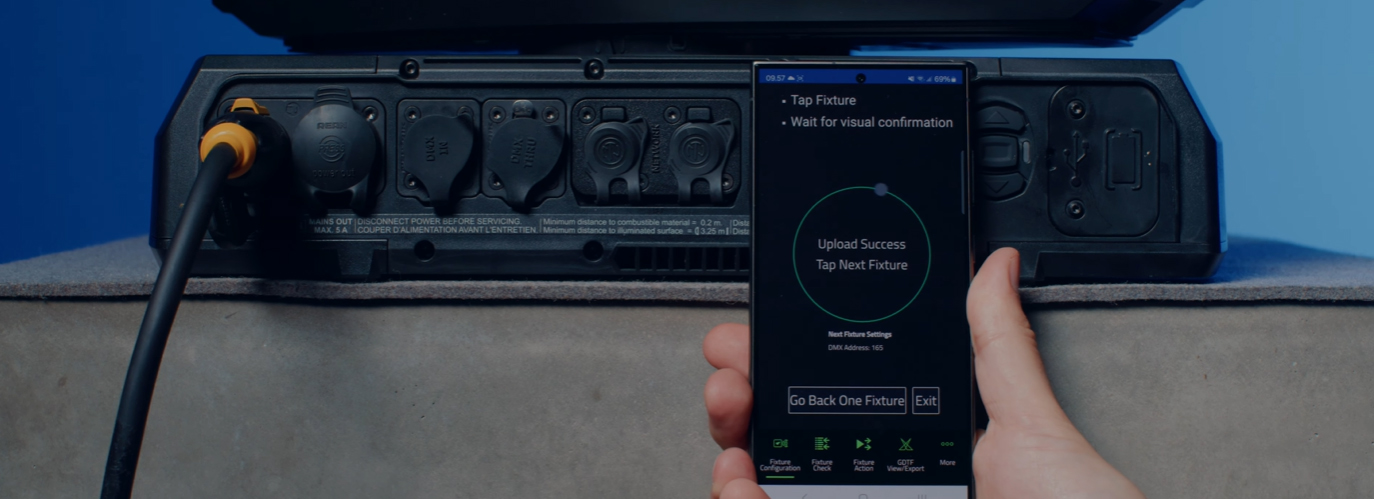
Mặc dù tương tự như ứng dụng Companion Desktop phổ biến, Companion Mobile sử dụng NFC để thiết lập thông tin liên lạc không dây nhằm đơn giản hóa và dễ dàng cấu hình fixture hơn. Ưu điểm của giao diện NFC là các fixture có thể được cấu hình mà không cần phải bật chúng. Ngay cả khi các fixture vẫn còn trong flightcase của chúng, chỉ cần chạm smartphone vào màn hình của fixture là đủ để cấu hình fixture.

Phiên bản 1.0.0 của Companion Mobile mang lại bốn tính năng chính với các tính năng bổ sung được dự kiến cho các bản phát hành trong tương lai. Chúng bao gồm công cụ Fixture Configure để dễ dàng thay đổi cài đặt fixture, công cụ Fixture Check để chẩn đoán fixture nhanh chóng, công cụ Fixture Action để bắt đầu các hành động fixture đơn giản và GDTF View & Export để duyệt các tệp GDTF do Martin tạo nhằm tra cứu chi tiết fixture.

Companion Mobile đồng bộ hóa với thư viện của Martin qua Internet, loại bỏ nhu cầu tải xuống thủ công. Ngoài ra, nó tự động đồng bộ hóa với các tệp GDTF do Martin tạo trên chia sẻ GDTF. Điều này cung cấp quyền truy cập vào tất cả chi tiết fixture như DMX Modes, DMX Channel Listings, Gobo Loadouts và hơn thế nữa. Các tệp GDTF có thể được xuất trực tiếp từ Companion để sử dụng với bất kỳ phần mềm nào tương thích với GDTF.

Cũng hãy xem Companion Desktop, nó cung cấp một số tính năng tương tự cho các máy tính chạy Windows.

Video


Tính năng

  • Compatible with Martin NFC-enabled fixtures, including MAC Viper XIP, MAC Aura Raven XIP, MAC Encore Two, ELP Manet 8F and many more fixtures to come
  • Automatic online synchronization of fixture database and GDTF library
  • Fixture Configure offers the ability to easily change the settings of one or multiple fixtures at once
  • Fixture Check enables the ability to quickly diagnose fixtures and export data to a CSV file
  • Fixture Action allows common tasks to be executed with a single click
  • Capability to read all data from fixtures, even when they are powered off
  • Capability to configure fixtures, even before powering them up
  • Includes an integrated GDTF viewer and export tool

Thông số kỹ thuật

  • System Requirements

    Android: Version 12 or newer
    iOS: Version 13 or newer
    Storage: 250 MB available storage space

    Supported Fixture Communication Protocols NFC
    Supported NFC Parameters

    Fixture Configuration
    Patch: Label, Fixture ID, P3 ID, DMX Mode, DMX Address, DMX Universe, Compact Mode Aura, Pan Invert, Tilt Invert, Pan/Tilt Swap, PixelFlip, IP Address, Subnet Mask
    Universal Connect Module: SHoW ID, SHoW Key, Output Power, Antenna Type, RSSI, RX Quality, Connection State, Module Manufacturer, Module Model, Module Firmware
    Light and Colour: Dimmer Curve, Color Mode, Color Boost, Output Mode, Manual CTC, Manual Tint, Keylight Calibration, Gobo CT Correction, End Compensation, Video Tracking, Strobe Behavior, Tungsten Emulation
    Control: FollowSpot Mode, Pan/Tilt Speed, Effects Speed, Effects Shortcuts, Focus Tracking, Framing Mode, HyperZoom, Fan Mode, Cooling Mode, Studio Mode, BeamShaper, Fan Clean
    Display: Display, Display Show Errors, Display Rotation, Display Intensity, Display Contrast
    Power: Power Limit, Hibernation, Offline Mode, Stand-Alone Mode, Reset via DMX
    Outdoor: Auto Empty Water, Outdoor Actions
    Pan/Tilt Limits: Reset Pan/Tilt Limits, Enable Pan/Tilt Limits, Pan Limit Min, Pan Limit Max, Tilt Limit Min, Tilt Limit Max
    Details: Serial Number, RDM UID, MAC Address, RDM Protocol Version, RDM Device Model ID, Art-Net OEM Code, Product Category, Firmware Version, Sub-Device Count
    Service: SelfTest, Device Hours Total, Device Hours Resettable, Lamp Hours Total, Lamp Hours Resettable, Power Cycles Total, Power Cycles Resettable, Fixture Length

    Fixture Check
    Fixture Details: Serial Number, RDM UID, MAC Address, Firmware Version, RDM Device Model ID, Art-Net OEM Code
    Errors and Warnings: Error Messages, Warning Messages
    Usage Data: Device Hours Total, Device Hours Resettable, Lamp Hours Total, Lamp Hours Resettable, Power Cycles Total, Power Cycles Resettable
    Sensor Values: Temperatures, Fan Speeds
    Fixture Settings: same as fixture configuration

    Fixture Action
    Factory Defaults: Set Factory Defaults
    Reset Fixture: Warm Reset, Cold Reset
    Hibernation: Disable, Enable
    IP Settings: Reset IP Settings
    Pan/Tilt Limits: Reset Pan/Tilt Limits
    Outdoor Actions: Stop, Empty Head, Dry Off, Safe Parking
    Fan Clean: Stop, Start
    SelfTest: Stop, Test All, Test Pan/Tilt, Test Effects, Test LEDs, Identify
    Reset Counters: Reset Device Hours, Reset Lamp Hours, Reset Power Cycles

    * Not all parameters are supported by all fixtures

    Supported Fixtures - Fixture Configuration

    - ELP Manet 8F
    - MAC Aura Raven XIP
    - MAC Encore Two
    - MAC Viper XIP

  • Supported Fixtures - Fixture Check

    - ELP Manet 8F
    - MAC Aura Raven XIP
    - MAC Encore Two
    - MAC Viper XIP

    Supported Fixtures - Fixture Action

    - ELP Manet 8F
    - MAC Aura Raven XIP
    - MAC Encore Two

    - MAC Viper XIP

    Supported Fixtures - GDTF View & Export All Martin products
    Related Items

    Companion Desktop Software: Free download from www.martin.com

    Ordering Information

    Companion Mobile Software: Free download from App Store and Google Play

Tải xuống

Software
  Phiên bản Kích thước Đã tải lên
iOS download icon Companion Mobile - iOS (App Store)
phiên bản 1.0.3, phát hành: Thg 5 2025
1.0.3   Thg 5 2025
Android download icon Companion Mobile - Android (Play Store)
phiên bản 1.0.3, phát hành: Thg 5 2025
1.0.3   Thg 5 2025
Android download icon Companion Mobile - Android (Manual Installation)
phiên bản 1.0.3, cập nhật: Thg 4 2026
1.0.3   100 MB Thg 4 2026

Nếu bất kỳ liên kết nào ở trên hiển thị ký tự lạ trong trình duyệt của bạn, vui lòng nhấp chuột phải vào tệp để lưu vào máy tính của bạn.

Tin tức

HARMAN Pro Insights

Designing Smarter Workflows with Precision Lighting Fixture Management Tools feature

Designing Smarter Workflows with Precision Lighting Fixture Management Tools

    Professional lighting setups demand precise configuration, reliable diagnostics, and up-to-date firmware. Yet DMX addressing, firmware mismatches, and manual data entry often slow down designers, rental houses, and system techs. Effective lighting fixture management tools can eliminate these pain points and keep every show

CONTINUE READING

Hỗ trợ/FAQ