
Companion Mobile

HERRAMIENTA MÓVIL BASADA EN APLICACIÓN PARA CONFIGURACIÓN Y DIAGNÓSTICO DE FIXTURES

Companion Mobile

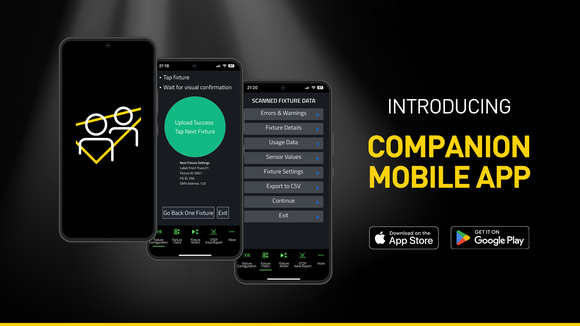
Companion Mobile es la versión basada en aplicación de la gestión de fixtures Companion, carga de firmware y herramienta de programación independiente. Es compatible con fixtures habilitadas para NFC (Near Field Communication) de Martin, incluyendo MAC Viper XIP, MAC Aura Raven XIP, MAC Encore Two, ELP Manet 8F y muchos más fixtures planeados para el futuro. Esta aplicación gratuita está disponible para dispositivos móviles iOS y Android.

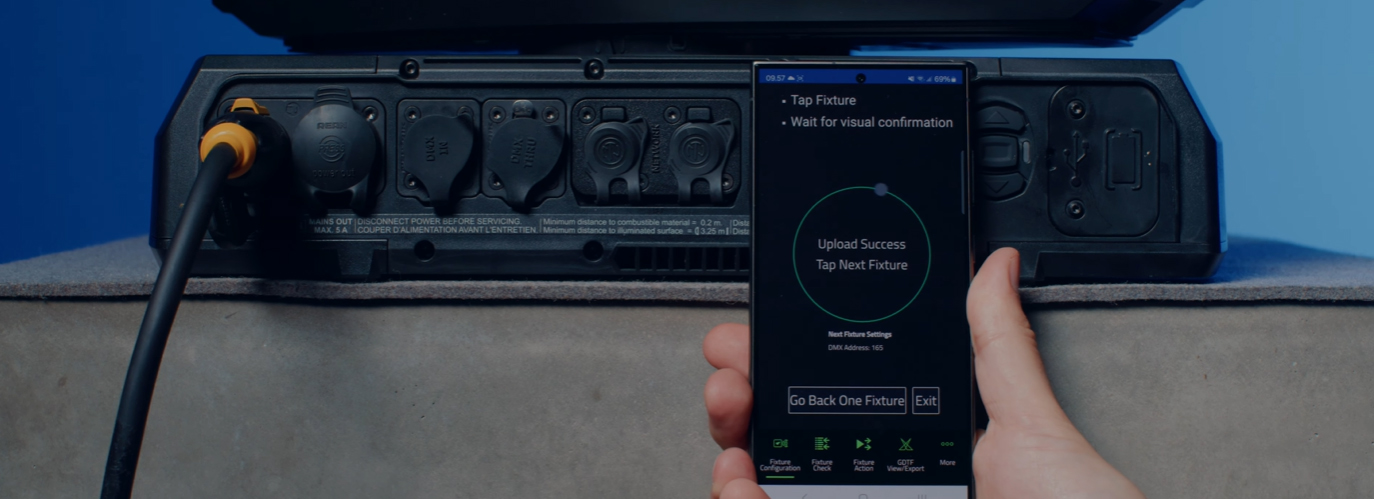
Si bien es similar a la popular aplicación Companion Desktop, Companion Mobile utiliza NFC para establecer comunicaciones inalámbricas y simplificar aún más la configuración de fixtures. La ventaja de la interfaz NFC es que los fixtures se pueden configurar sin necesidad de encenderlos. Incluso cuando los fixtures aún están dentro de su flightcase, un simple toque con el smartphone contra la pantalla del fixture es todo lo que se necesita para configurarlos.

La versión 1.0.0 de Companion Mobile presenta cuatro características clave con funciones adicionales planeadas para futuras versiones. Estas incluyen la herramienta Fixture Configure para cambiar fácilmente la configuración de fixtures, la herramienta Fixture Check para diagnóstico rápido de fixtures, la herramienta Fixture Action para iniciar acciones simples de fixtures, y GDTF View & Export para explorar archivos GDTF creados por Martin y consultar detalles de fixtures.

Companion Mobile se sincroniza con la biblioteca de Martin a través de Internet, eliminando la necesidad de descargas manuales. Además, se sincroniza automáticamente con los archivos GDTF creados por Martin en el servidor de GDTF. Esto proporciona acceso a todos los detalles de fixtures como Modos DMX, Listados de Canales DMX, Configuraciones de Gobo y más. Los archivos GDTF se pueden exportar directamente desde Companion para su uso con cualquier software compatible con GDTF.

Consulta también Companion Desktop, que ofrece algunas de las mismas funciones para computadoras que ejecutan Windows.

Videos


Características

  • Compatible with Martin NFC-enabled fixtures, including MAC Viper XIP, MAC Aura Raven XIP, MAC Encore Two, ELP Manet 8F and many more fixtures to come
  • Automatic online synchronization of fixture database and GDTF library
  • Fixture Configure offers the ability to easily change the settings of one or multiple fixtures at once
  • Fixture Check enables the ability to quickly diagnose fixtures and export data to a CSV file
  • Fixture Action allows common tasks to be executed with a single click
  • Capability to read all data from fixtures, even when they are powered off
  • Capability to configure fixtures, even before powering them up
  • Includes an integrated GDTF viewer and export tool

Especificaciones

  • System Requirements

    Android: Version 12 or newer
    iOS: Version 13 or newer
    Storage: 250 MB available storage space

    Supported Fixture Communication Protocols NFC
    Supported NFC Parameters

    Fixture Configuration
    Patch: Label, Fixture ID, P3 ID, DMX Mode, DMX Address, DMX Universe, Compact Mode Aura, Pan Invert, Tilt Invert, Pan/Tilt Swap, PixelFlip, IP Address, Subnet Mask
    Universal Connect Module: SHoW ID, SHoW Key, Output Power, Antenna Type, RSSI, RX Quality, Connection State, Module Manufacturer, Module Model, Module Firmware
    Light and Colour: Dimmer Curve, Color Mode, Color Boost, Output Mode, Manual CTC, Manual Tint, Keylight Calibration, Gobo CT Correction, End Compensation, Video Tracking, Strobe Behavior, Tungsten Emulation
    Control: FollowSpot Mode, Pan/Tilt Speed, Effects Speed, Effects Shortcuts, Focus Tracking, Framing Mode, HyperZoom, Fan Mode, Cooling Mode, Studio Mode, BeamShaper, Fan Clean
    Display: Display, Display Show Errors, Display Rotation, Display Intensity, Display Contrast
    Power: Power Limit, Hibernation, Offline Mode, Stand-Alone Mode, Reset via DMX
    Outdoor: Auto Empty Water, Outdoor Actions
    Pan/Tilt Limits: Reset Pan/Tilt Limits, Enable Pan/Tilt Limits, Pan Limit Min, Pan Limit Max, Tilt Limit Min, Tilt Limit Max
    Details: Serial Number, RDM UID, MAC Address, RDM Protocol Version, RDM Device Model ID, Art-Net OEM Code, Product Category, Firmware Version, Sub-Device Count
    Service: SelfTest, Device Hours Total, Device Hours Resettable, Lamp Hours Total, Lamp Hours Resettable, Power Cycles Total, Power Cycles Resettable, Fixture Length

    Fixture Check
    Fixture Details: Serial Number, RDM UID, MAC Address, Firmware Version, RDM Device Model ID, Art-Net OEM Code
    Errors and Warnings: Error Messages, Warning Messages
    Usage Data: Device Hours Total, Device Hours Resettable, Lamp Hours Total, Lamp Hours Resettable, Power Cycles Total, Power Cycles Resettable
    Sensor Values: Temperatures, Fan Speeds
    Fixture Settings: same as fixture configuration

    Fixture Action
    Factory Defaults: Set Factory Defaults
    Reset Fixture: Warm Reset, Cold Reset
    Hibernation: Disable, Enable
    IP Settings: Reset IP Settings
    Pan/Tilt Limits: Reset Pan/Tilt Limits
    Outdoor Actions: Stop, Empty Head, Dry Off, Safe Parking
    Fan Clean: Stop, Start
    SelfTest: Stop, Test All, Test Pan/Tilt, Test Effects, Test LEDs, Identify
    Reset Counters: Reset Device Hours, Reset Lamp Hours, Reset Power Cycles

    * Not all parameters are supported by all fixtures

    Supported Fixtures - Fixture Configuration

    - ELP Manet 8F
    - MAC Aura Raven XIP
    - MAC Encore Two
    - MAC Viper XIP

  • Supported Fixtures - Fixture Check

    - ELP Manet 8F
    - MAC Aura Raven XIP
    - MAC Encore Two
    - MAC Viper XIP

    Supported Fixtures - Fixture Action

    - ELP Manet 8F
    - MAC Aura Raven XIP
    - MAC Encore Two

    - MAC Viper XIP

    Supported Fixtures - GDTF View & Export All Martin products
    Related Items

    Companion Desktop Software: Free download from www.martin.com

    Ordering Information

    Companion Mobile Software: Free download from App Store and Google Play

Descargas

Software
  Versión Tamaño Subido
iOS download icon Companion Mobile - iOS (App Store)
versión 1.0.3, publicado: may 2025
1.0.3   may 2025
Android download icon Companion Mobile - Android (Play Store)
versión 1.0.3, publicado: may 2025
1.0.3   may 2025
Android download icon Companion Mobile - Android (Manual Installation)
versión 1.0.3, actualizado: abr 2026
1.0.3   99,3 MB abr 2026

Si alguno de los enlaces anteriores muestra caracteres extraños en su navegador, haga clic con el botón derecho en el archivo para guardarlo en su computadora.

Noticias

HARMAN Pro Insights

Designing Smarter Workflows with Precision Lighting Fixture Management Tools feature

Designing Smarter Workflows with Precision Lighting Fixture Management Tools

    Professional lighting setups demand precise configuration, reliable diagnostics, and up-to-date firmware. Yet DMX addressing, firmware mismatches, and manual data entry often slow down designers, rental houses, and system techs. Effective lighting fixture management tools can eliminate these pain points and keep every show

CONTINUE READING

Soporte/FAQs

HARMAN Professional Solutions: