Companion Desktop

Công cụ quản lý và tải lên firmware cho tất cả các thiết bị Martin

Companion Desktop
Hình ảnh lớn hơn

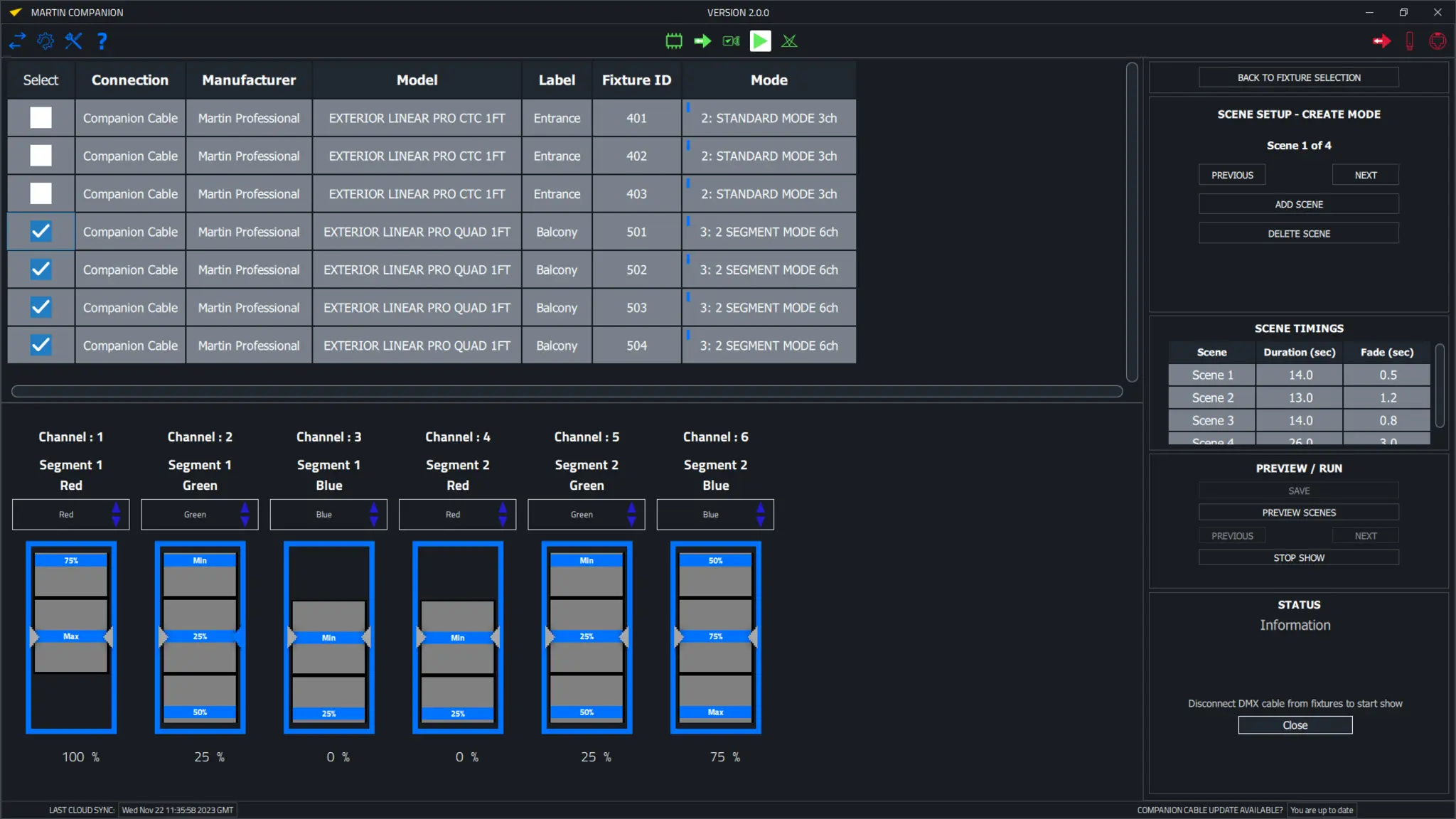
Companion Desktop là công cụ quản lý fixture, tải lên firmware và lập trình độc lập tương thích với tất cả các fixture Martin để sử dụng một cách tối ưu nhất. Ứng dụng Companion Desktop đồng bộ hóa với thư viện firmware của Martin qua Internet, vì vậy những ngày phải duyệt qua các trang hỗ trợ để tìm firmware fixture mới nhất đã kết thúc.

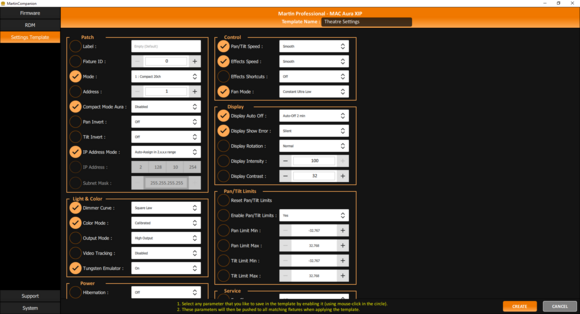
Tích hợp RDM nâng cao cho phép tất cả các fixture được cấu hình và vá lỏi từ xa. Để tạo điều kiện cấu hình dễ dàng nhiều fixture cùng lúc, hệ thống Cấu hình Fixture cho phép đẩy toàn bộ bộ cài đặt fixture tới tất cả các fixture được chọn cùng một lúc. Công cụ Quick Addressing tích hợp sẵn cho phép định địa chỉ fixture chỉ bằng một clic cho mỗi fixture.

Công cụ lập trình độc lập ergonomic tích hợp sẵn cho phép các fixture được lập trình với tới 20 cảnh với các thời gian hold và fade riêng lẻ. Các fixture sau đó có thể chạy các cảnh này một cách hoàn toàn đồng bộ, mà không cần máy tính hoặc bộ điều khiển nào được kết nối. Các buổi biểu diễn độc lập cũng có thể được lưu trữ, chia sẻ và sử dụng lại sau này.

Companion Desktop cũng tự động đồng bộ hóa với các tệp GDTF được tạo bởi Martin trên chia sẻ GDTF. Cung cấp cho bạn quyền truy cập vào tất cả các chi tiết fixture như Chế độ DMX, Danh sách Kênh DMX, Gobo Loadouts và hơn thế nữa. Các tệp GDTF có thể được xuất trực tiếp từ Companion Desktop để sử dụng với bất kỳ phần mềm nào tương thích với GDTF.

Cũng hãy xem Companion Mobile, cung cấp một số tính năng tương tự cho các thiết bị iOS và Android di động.
  • Tương thích với tất cả các thiết bị chiếu sáng Martin

    Martin Companion có thể tải lên firmware cho tất cả các dòng sản phẩm Martin bao gồm MAC, ERA, ELP, VDO và Exterior.
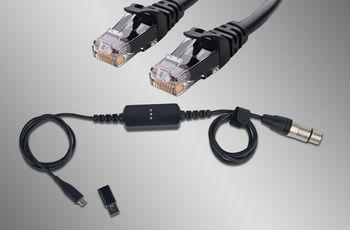
  • Kết nối Fixture qua DMX hoặc Network

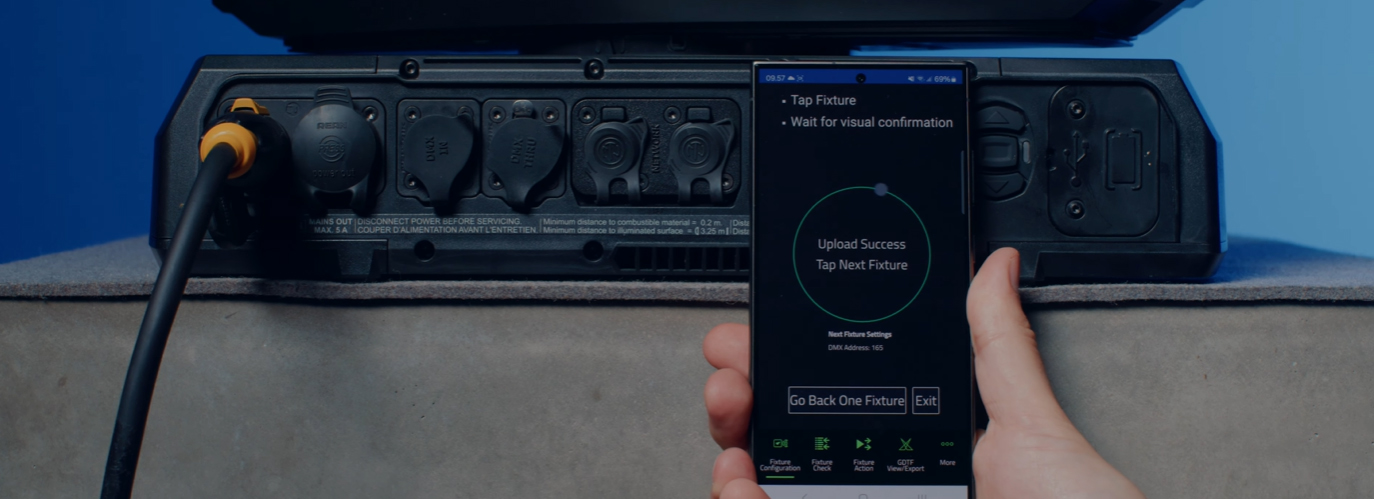
    Kết nối giữa Martin Companion và các fixture có thể được thực hiện thông qua Cáp Martin Companion hoặc một giao diện network tiêu chuẩn.
  • Đồng bộ hóa Đám mây Tự động

    Đồng bộ hóa trực tuyến đảm bảo rằng bạn luôn có phiên bản firmware thiết bị và tệp GDTF mới nhất. Không cần phải duyệt qua các trang hỗ trợ để tìm firmware hoặc tệp GDTF mới nhất, Martin Companion sẽ thực hiện điều này cho bạn.
  • Xuất để cập nhật qua USB hoặc P3

    Firmware cũng có thể được xuất từ Martin Companion để cập nhật một thiết bị qua thiết bị lưu trữ USB hoặc Bộ điều khiển Hệ thống Martin P3 như một giải pháp thay thế cho việc cập nhật thiết bị qua Martin Companion.
  • Cấu hình và Vá các tính năng qua RDM hoặc RDM over Art-Net

    Bộ công cụ RDM tích hợp cho phép các thiết bị được cấu hình và vá từ xa. Martin Companion hỗ trợ các thông số RDM tiêu chuẩn, cũng như các thông số RDM cụ thể của Martin nâu cao hơn để cấu hình các thiết bị để có hiệu suất tốt nhất.
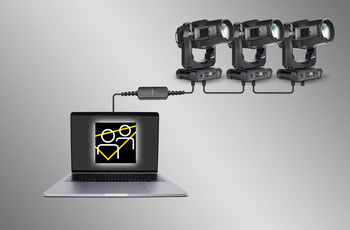
  • Mẫu Cài Đặt Thiết Bị Hỗ Trợ Triển Khai Nhanh Chóng

    Cập nhật cài đặt của nhiều thiết bị chỉ trong vài giây. Bất kỳ tổ hợp cài đặt nào cũng có thể được lưu trữ trong một mẫu và sau đó triển khai cho tất cả các thiết bị trong hệ thống. Không còn phải kiểm tra cài đặt từng thiết bị một cách thủ công.
  • Lập Trình Độc Lập

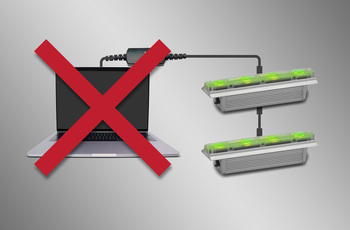
    Các chương trình có tối đa 20 cảnh, với thời gian hold và fade riêng lẻ, có thể được lập trình vào các thiết bị Martin được chọn bằng Martin Companion. Các thiết bị sẽ chạy chương trình hoàn toàn đồng bộ và không cần máy tính hoặc bộ điều khiển kết nối.
  • GDTF View and Export

    View all Martin-made GDTF files to look up fixture details, and download them directly from within Martin Companion for easy access at all times.

featured content

Tương thích với tất cả các thiết bị chiếu sáng Martin

Martin Companion có thể tải lên firmware cho tất cả các dòng sản phẩm Martin bao gồm MAC, ERA, ELP, VDO và Exterior.

featured content

Kết nối Fixture qua DMX hoặc Network

Kết nối giữa Martin Companion và các fixture có thể được thực hiện thông qua Cáp Martin Companion hoặc một giao diện network tiêu chuẩn.

featured content

Đồng bộ hóa Đám mây Tự động

Đồng bộ hóa trực tuyến đảm bảo rằng bạn luôn có phiên bản firmware thiết bị và tệp GDTF mới nhất. Không cần phải duyệt qua các trang hỗ trợ để tìm firmware hoặc tệp GDTF mới nhất, Martin Companion sẽ thực hiện điều này cho bạn.

featured content

Xuất để cập nhật qua USB hoặc P3

Firmware cũng có thể được xuất từ Martin Companion để cập nhật một thiết bị qua thiết bị lưu trữ USB hoặc Bộ điều khiển Hệ thống Martin P3 như một giải pháp thay thế cho việc cập nhật thiết bị qua Martin Companion.

featured content

Cấu hình và Vá các tính năng qua RDM hoặc RDM over Art-Net

Bộ công cụ RDM tích hợp cho phép các thiết bị được cấu hình và vá từ xa. Martin Companion hỗ trợ các thông số RDM tiêu chuẩn, cũng như các thông số RDM cụ thể của Martin nâu cao hơn để cấu hình các thiết bị để có hiệu suất tốt nhất.

featured content

Mẫu Cài Đặt Thiết Bị Hỗ Trợ Triển Khai Nhanh Chóng

Cập nhật cài đặt của nhiều thiết bị chỉ trong vài giây. Bất kỳ tổ hợp cài đặt nào cũng có thể được lưu trữ trong một mẫu và sau đó triển khai cho tất cả các thiết bị trong hệ thống. Không còn phải kiểm tra cài đặt từng thiết bị một cách thủ công.

featured content

Lập Trình Độc Lập

Các chương trình có tối đa 20 cảnh, với thời gian hold và fade riêng lẻ, có thể được lập trình vào các thiết bị Martin được chọn bằng Martin Companion. Các thiết bị sẽ chạy chương trình hoàn toàn đồng bộ và không cần máy tính hoặc bộ điều khiển kết nối.

featured content

GDTF View and Export

View all Martin-made GDTF files to look up fixture details, and download them directly from within Martin Companion for easy access at all times.

Video


Tính năng

  • Compatible with all Martin fixture ranges including MAC, ERA, ELP, VDO & Exterior
  • Automatic online synchronization of fixture firmware library, spare parts finder library and GDTF library
  • Robust Martin Companion Cable to connect fixtures with computer using DMX
  • Direct network connection to connect fixtures with computer using Art-Net / sACN
  • Companion Desktop Application downloaded free of charge from Martin website
  • Optional export for fixture update via USB memory device or P3 System Controller
  • Optional export for Atmospheric Effects machine update via Epsilon 5 AVR Programmer
  • RDM function allows every fixture setting to be consulted and changed remotely
  • RDM export to CSV for easy collection of fixture data such as serial numbers, patch details, usage counters and more
  • Fixture Configuration enables quick deployment of settings to multiple fixtures at once
  • Quick Addressing allows for addressing of fixtures with just a single click per fixture
  • Stand-Alone Programming of select Martin fixtures
  • Save, Share and Re-Use Stand-Alone shows
  • GDTF viewer and export tool
  • Spare Parts Finder

Thông số kỹ thuật

  • System Requirements

    Computer running Windows 10 or 11 (32 or 64-bit)
    Intel Core i3 or better processor
    4 GB RAM
    4 GB available hard disk space
    Display with Full HD or better resolution
    USB 1.1 (or higher) port (USB Type A or USB Type C) for connection of Companion Cable
    Ethernet port for RDM over Art-Net communication (if used)
    Full administrator rights on PC

    Supported Fixture Communication Protocols

    RDM (via Companion Cable)
    RDM over Art-Net (via standard Ethernet Port)
    Multiple proprietary fixture firmware upload protocols

    Supported RDM Parameters

    Fixture Configuration
    General: Manufacturer, Model, Label, Fixture ID
    Patch: Mode, Universe, Address, Compact Mode Aura, Pan Invert, Tilt Invert, Pan/Tilt Swap, Pixel Flip Mode, IP Settings
    UCM: SHoW ID, SHoW Key, Output Power, Antenna Type, Connection State, Module Manufacturer, Module Model, Module Firmware
    Light & Color: Dimmer Curve, Color Mode, Output Mode, Manual CTC, Manual Tint, Keylight Calibration, Gobo CT Correction, Video Tracking, Strobe Behavior, Tungsten Emulation, High Refresh
    Control: FollowSpot Mode, Pan/Tilt Speed, Effects Speed, Effects Shortcuts, Focus Tracking, Framing Mode, Hyper Zoom, Fan Mode, Extra Blackout
    Display: Display Auto Off, Display Show Error, Display Rotation, Display Intensity, Display Contrast
    Power: Power Limit, Hibernation, DMX Lost Mode, Standalone Mode, Reset via DMX, Lamp Off via DMX, Lamp On Mode, Lamp State, Power State, DC Output Control
    Outdoor: Auto Empty Water
    Pan/Tilt Limits: Enable Pan/Tilt Limits, Pan Limit Min, Pan Limit Max, Tilt Limit Min, Tilt Limit Max
    Details: Serial Number, UID, MAC Address, Protocol Version, Device Model ID, Art-Net OEM Code, Product Category, Firmware Version, Sub-Device Count
    Service: Status, Sensors Readout, Device Hours, Lamp Hours, Lamp Strikes, Power Cycles, Pixel Quantity

    Fixture Action
    Factory Defaults: Set Factory Defaults
    Reset Fixture: Warm Reset, Cold Reset
    Hibernation: Disable, Enable
    IP Settings: Reset IP Settings
    Pan/Tilt Limits: Reset Pan/Tilt Limits
    Outdoor Actions: Stop, Empty Head, Dry Off, Safe Parking
    Fan Clean: Stop, Start
    SelfTest: Stop, Test All, Test Pan/Tilt, Test Effects, Test LEDs, Identify

    Stand-Alone Programming
    Proprietary set of Martin RDM commands

    * Not all parameters are supported by all fixtures
    * Martin Companion uses a combination of standard RDM commands and Martin-specific RDM commands

    Supported Fixtures - Firmware Upload*

    Firmware Upload via DMX Cable:
    - All products from Martin MAC, ERA, ELP, RUSH and Exterior ranges
    - Select products from Martin VDO range
    Firmware Upload via Network:
    - Select products from Martin MAC, VDO and Exterior ranges
    Firmware Export and Upload into Fixture via USB stick:
    - Select products from Martin MAC and ERA ranges
    Firmware Export and Upload into Fixture via P3 System Controller:
    - All products from Martin VDO and VC ranges
    - Select products from Martin MAC and Exterior ranges
    Firmware Export and Upload into Fixture via Epsilon 5 AVR Programmer:
    - Atmospheric Effects in Martin Magnum and RUSH ranges

    * Detailed Overview can be found here.

    Supported Fixtures - Fixture Configuration

    Any fixture supporting RDM and/or RDM over Art-Net

    * Martin Companion uses a combination of standard RDM commands and Martin-specific RDM commands, which are not supported on non-Martin fixtures

    Supported Fixtures - Fixture Action

    Any fixture supporting RDM and/or RDM over Art-Net

    * Martin Companion uses a combination of standard RDM commands and Martin-specific RDM commands, which are not supported on non-Martin fixtures

    Supported Fixtures - Stand-Alone Programming

    Martin ELP Manet 8F
    Martin Exterior Dot Pro series
    Martin Exterior Linear Pro series
    Martin Exterior Projection Pro series
    Martin Exterior Wash Pro series
    Martin MAC Aura Raven XIP
    Martin MAC Encore Two
    Martin MAC One
    Martin MAC One Beam
    Martin MAC Viper XIP
    Martin VDO Sceptron XB

    Supported Fixtures - GDTF View & Export All Martin products
    Supported Fixtures - Spare Parts Finder All Martin products
  • Physical (Companion Cable) Length: 68 mm (2.7 in.) Width: 29 mm (1.2 in.) Height: 17 mm (0.7 in.) Weight: 99 g (3.5 oz.)
    Control/User Interface (Companion Cable) Configuration and management: Companion Desktop Software Device status: 3 x status LEDs (USB, DMX & Status)
    Construction (Companion Cable) Housing: Plastic Color: Matte Black Protection rating: IP20 Non-domestic use in dry location only
    Connections (Companion Cable) Computer Interface: USB 2.0 Type C (adapter to USB Type A included) DMX/RDM data: 5-pin locking XLR
    Electrical (Companion Cable) Power Rating: 5 VDC over USB Maximum current draw: 150 mA
    Thermal (Companion Cable) Maximum ambient temperature (Ta max.): 50° C (122° F) Minimum ambient temperature (Ta min.): 0° C (32° F)
    Approvals (Companion Cable) EMC: CAN ICES-3 U(B) / NMB-3 (B)
    Related Items

    Companion Mobile Software: Free download from App Store and Google Play

    Ordering Information

    Companion Desktop Software: Free download from www.martin.com
    Companion Cable: P/N 91616091

Tải xuống

Manuals
  Phiên bản Ngôn ngữ Kích thước Đã tải lên
file type icon Martin Companion - Getting Started Video
en phiên bản 2.0.0, cập nhật: Thg 12 2023
2.0.0  en  Thg 12 2023
file type icon Martin Companion Cable - User Manual
en phiên bản C, cập nhật: Thg 11 2024
en  200 KB Thg 11 2024
Compliances
  Ngôn ngữ Kích thước Đã tải lên
en  300 KB Thg 11 2023
en  500 KB Thg 11 2023
Software
  Phiên bản Kích thước Đã tải lên
Windows download icon Companion Desktop - Windows
phiên bản 2.2.0, cập nhật: Thg 4 2026
2.2.0   100 MB Thg 4 2026
Service Notes
  Phiên bản Ngôn ngữ Kích thước Đã tải lên
en  700 KB Thg 11 2023

Nếu bất kỳ liên kết nào ở trên hiển thị ký tự lạ trong trình duyệt của bạn, vui lòng nhấp chuột phải vào tệp để lưu vào máy tính của bạn.

Tin tức

HARMAN Pro Insights

Designing Smarter Workflows with Precision Lighting Fixture Management Tools feature

Designing Smarter Workflows with Precision Lighting Fixture Management Tools

    Professional lighting setups demand precise configuration, reliable diagnostics, and up-to-date firmware. Yet DMX addressing, firmware mismatches, and manual data entry often slow down designers, rental houses, and system techs. Effective lighting fixture management tools can eliminate these pain points and keep every show

CONTINUE READING

Hỗ trợ/FAQ