Last Updated: Jun 02
Version 6.0.4 2024-06-02
Changes since 6.0.3
Instructions
- Download and extract the software package.
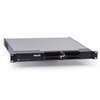
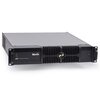
- Place it on a USB memory device and plug that into the P3 System Controller.
- On the P3 System Controller, close the open showfile (File -> Close).
- On the P3 System Controller, go to Settings -> Hardware Settings -> System -> Software -> Reload to start the update.
New Features & Improvements
- Fixture Groups are now listed in alphabetical order.
Bug Fixes
- Fix for crash when using presets with Device Settings in specific cases.
Known Issues
- MVR Import/Export is disabled in 1:1 shows.
- MVR Import may result in some fixtures being rotated 180 degree wrong in very specific cases.
- EDID change on P3-175/275 not triggering HDMI hotplug event.
- NDI HX not working on P3-175 and P3-275 (only working on P3-PC).
- P3-050/150/175/275/300 will only access first partition on a multi-partition USB memory device.
- P3-050/150/175/275/300 do not support USB memory device partitions larger than 32GB.
- P3-175 syslog output not containing all expected information at boottime.
Latest Included Fixture Firmware Packages
- EC-10: 3.0.0
- EC-20: 3.0.0
- Exterior Dot-HP RGB & Exterior Dot-HP CW: 2.4.1
- Exterior PixLine 10, Exterior PixLine 20 & Exterior PixLine 40: 2.4.1
- LC family: 2.0.4
- MAC Allure Profile: 2.0.0
- MAC Allure Wash PC: 2.0.0
- MAC Aura PXL: 1.4.0
- MAC Aura XIP: 1.2.1
- MAC One: 1.1.0
- MAC Ultra Performance: 2.0.3
- MAC Ultra Wash: 2.0.3
- P3 PowerPort 1500 & P3 PowerPort 1000 IP: 3.1.0
- PDE Junction Box: 1.3.0
- VC-Dot family & VC-Feeder: 2.4.4
- VC-Grid family: 2.4.1
- VC-Strip family: 2.4.1
- VDO Atomic Bold: 1.3.0
- VDO Atomic Dot CLD & VDO Atomic Dot WRM: 1.4.0
- VDO Dotron: 2.4.1
- VDO Face family: 1.2.1
- VDO Fatron 20: 2.4.1
- VDO Sceptron 10, VDO Sceptron 20 & VDO Sceptron 40: 2.4.1
 download